Ember
Ember
What if a recipe app never neededa fingertip once the cooking started?
BRIEF
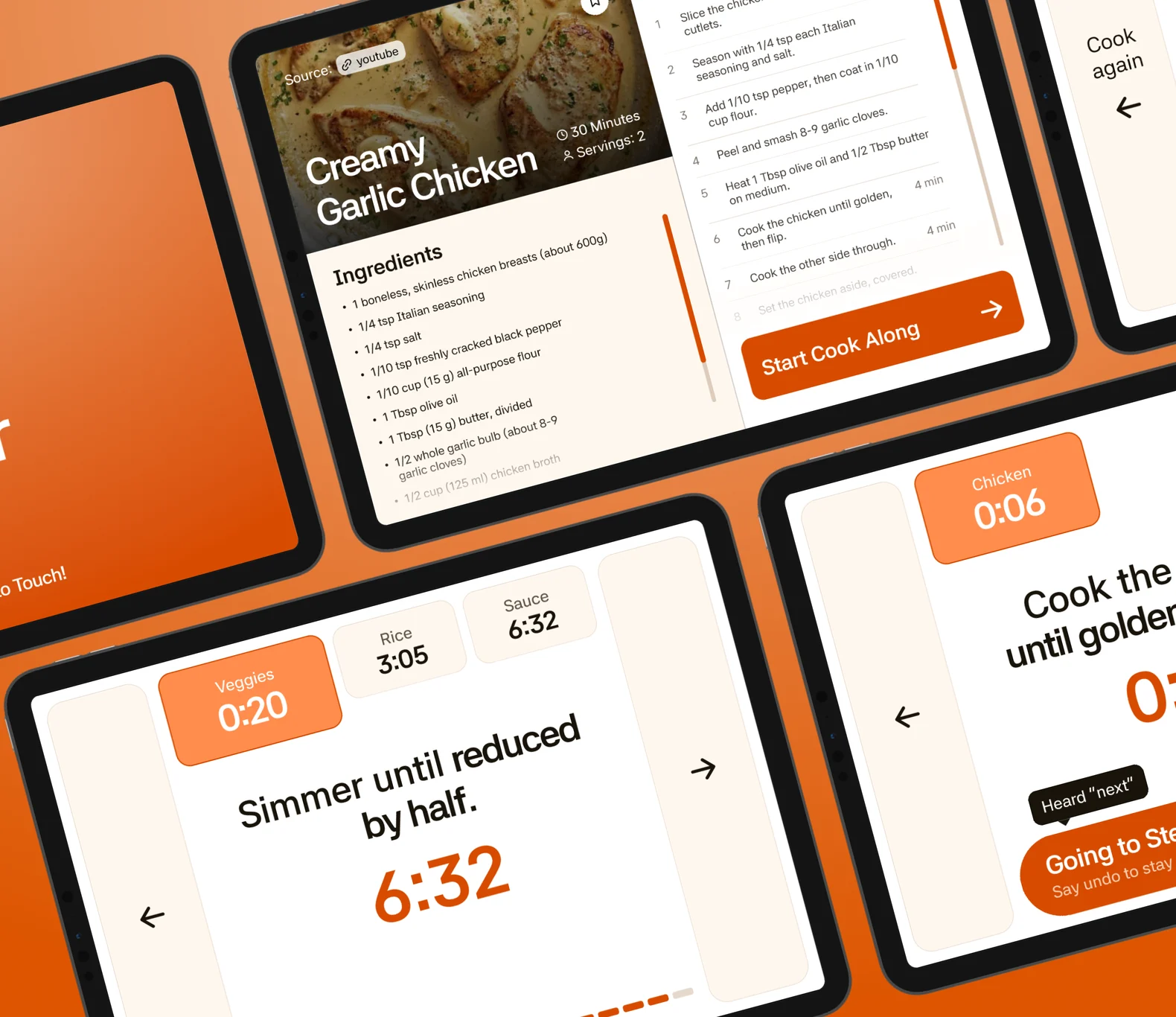
A 24-hour solo design sprint: a hands-free cook-along mode for a recipe app on an 11-inch tablet.
THE PROBLEM
Messy hands, trying to tick off a step with an elbow or a knuckle. It misclicks and sets something else off in the recipe app.
THE RESEARCH
I spoke to 5 people I know who regularly use a screen to see recipes or follow along a recipe while cooking, to understand them better. To empathise with them even better, I went ahead and used a screen to look at the recipe while I cooked.
FROM INSIGHTTO DECISION
Insight
Decision
Nobody touches the screen with messy hands (5 of 5).
Nothing to set up once hands are dirty.
Nobody reads the screen from beyond 3 feet.
Answer the glance.
Losing your place in the recipe is costly (4 of 5).
The screen stays put.
THE GAP
Every app has a step view. None ismade for messy hands.
Only 4 add hands-free input, timers and scaling, and each still falls back to touch.
THE SOLUTION
Speak, while your handsstay in the dough.
- Servings are set before the mess. After “Start Cook Along” nothing needs a fingertip.
- “Hey Ember” runs every step by voice, from up to 5 feet away.
- When it’s too loud, two full-height edges take an elbow or a knuckle.
- The screen never locks, never skips ahead, and keeps every timer in sight.
EDGE CASES
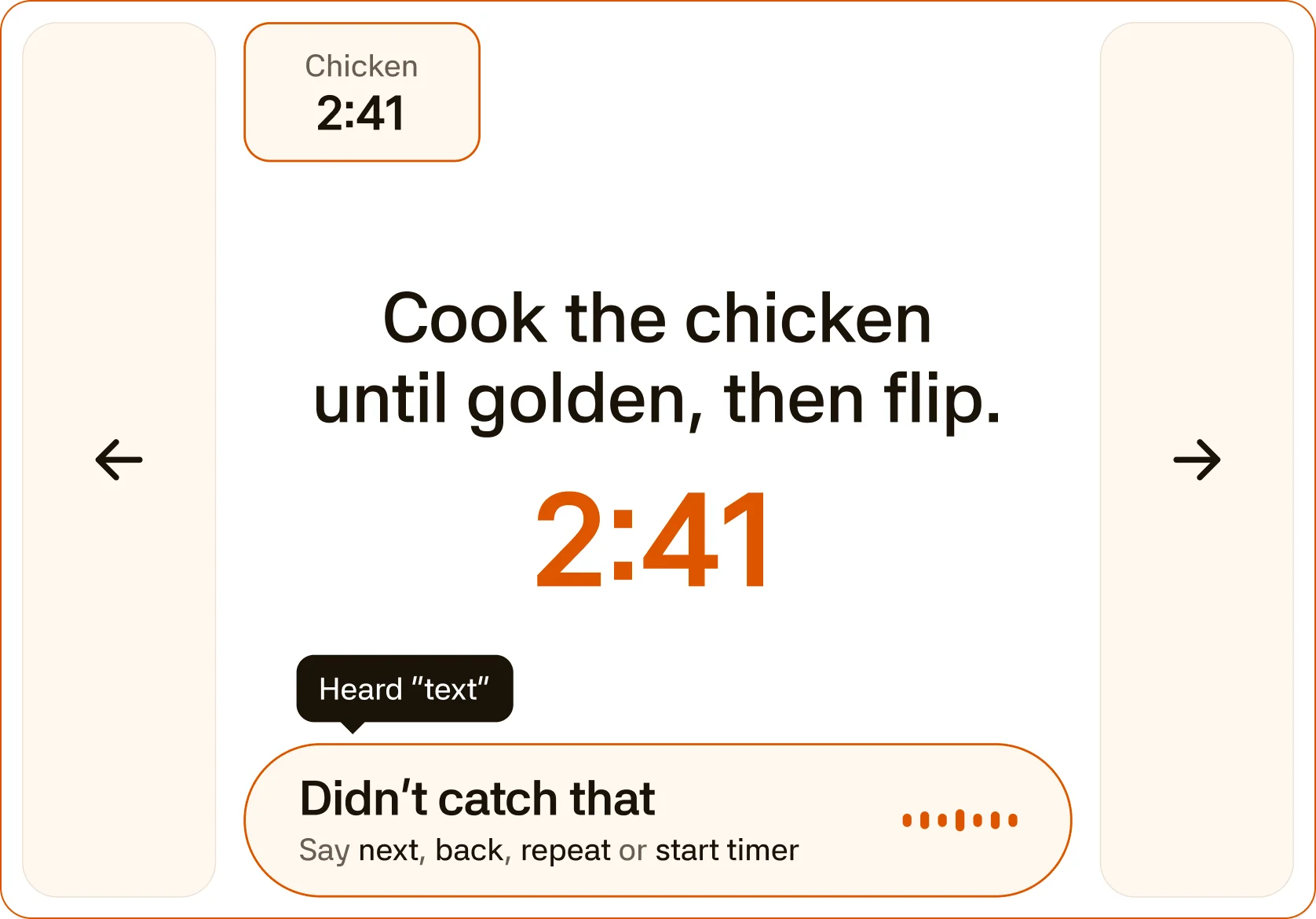
Voice mishears
Ember shows what it heard and does nothing.
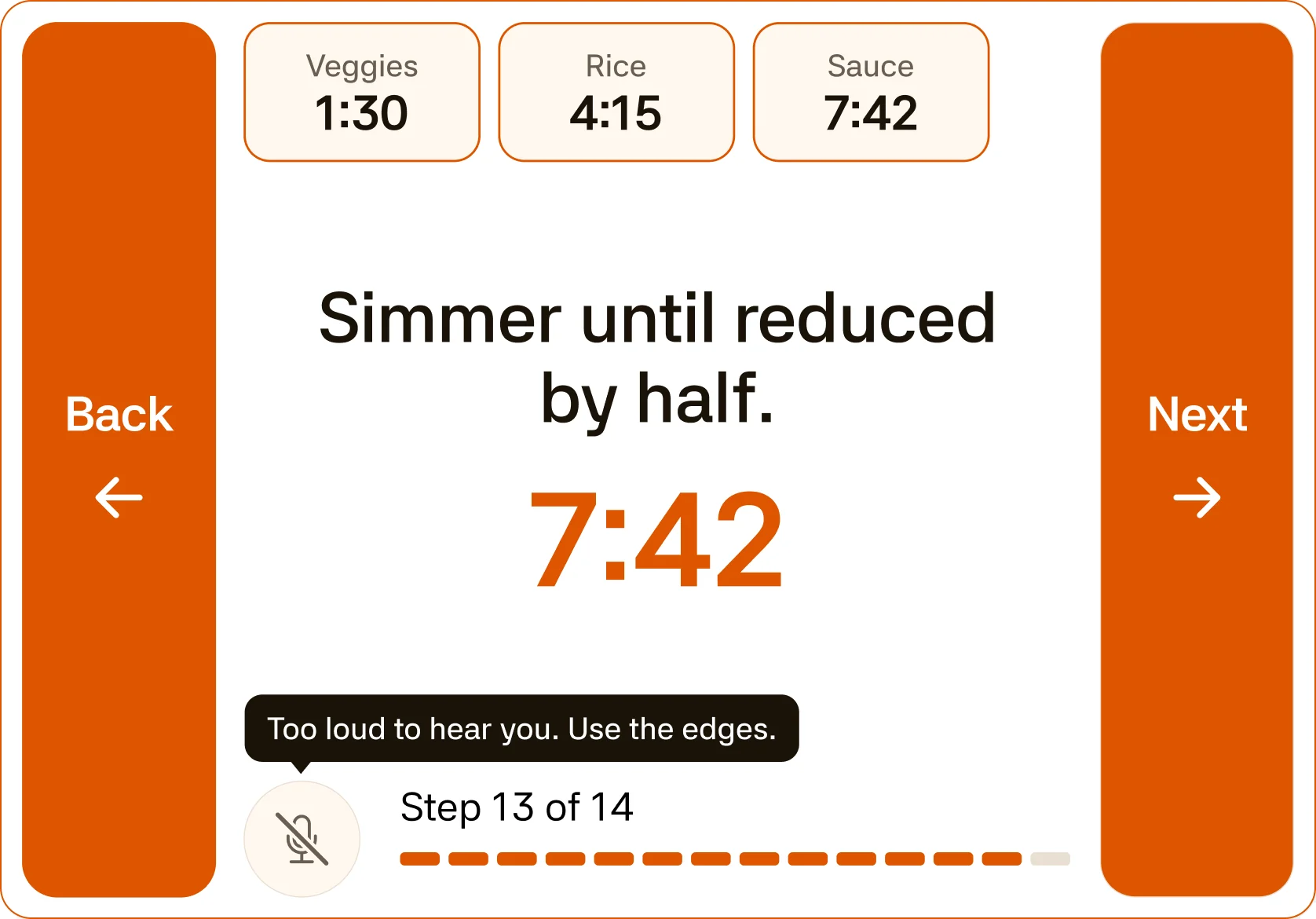
Too loud for voice
Both edges turn solid orange and take over.
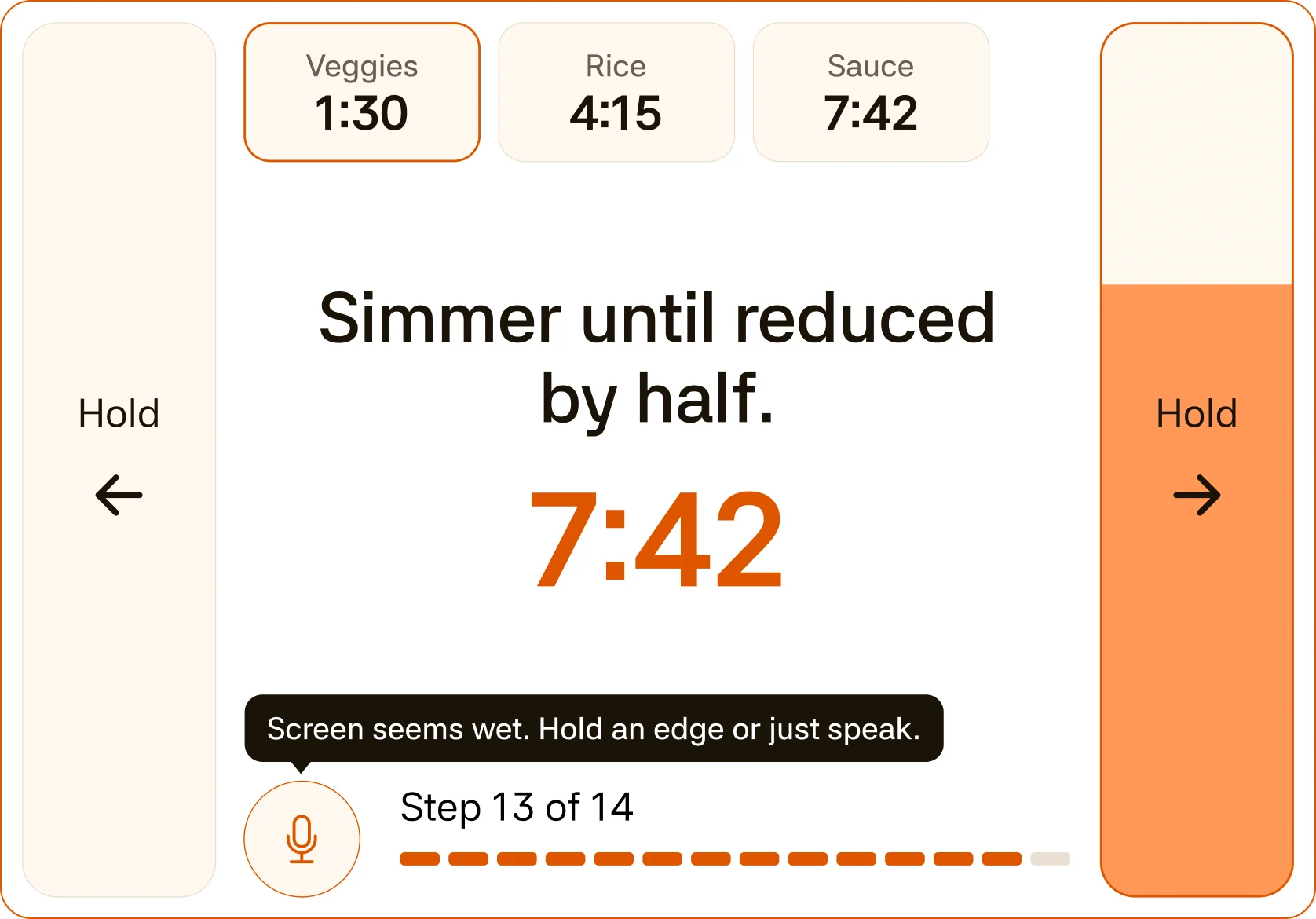
Wet screen
The edges switch to hold, so a splash can’t change the step.
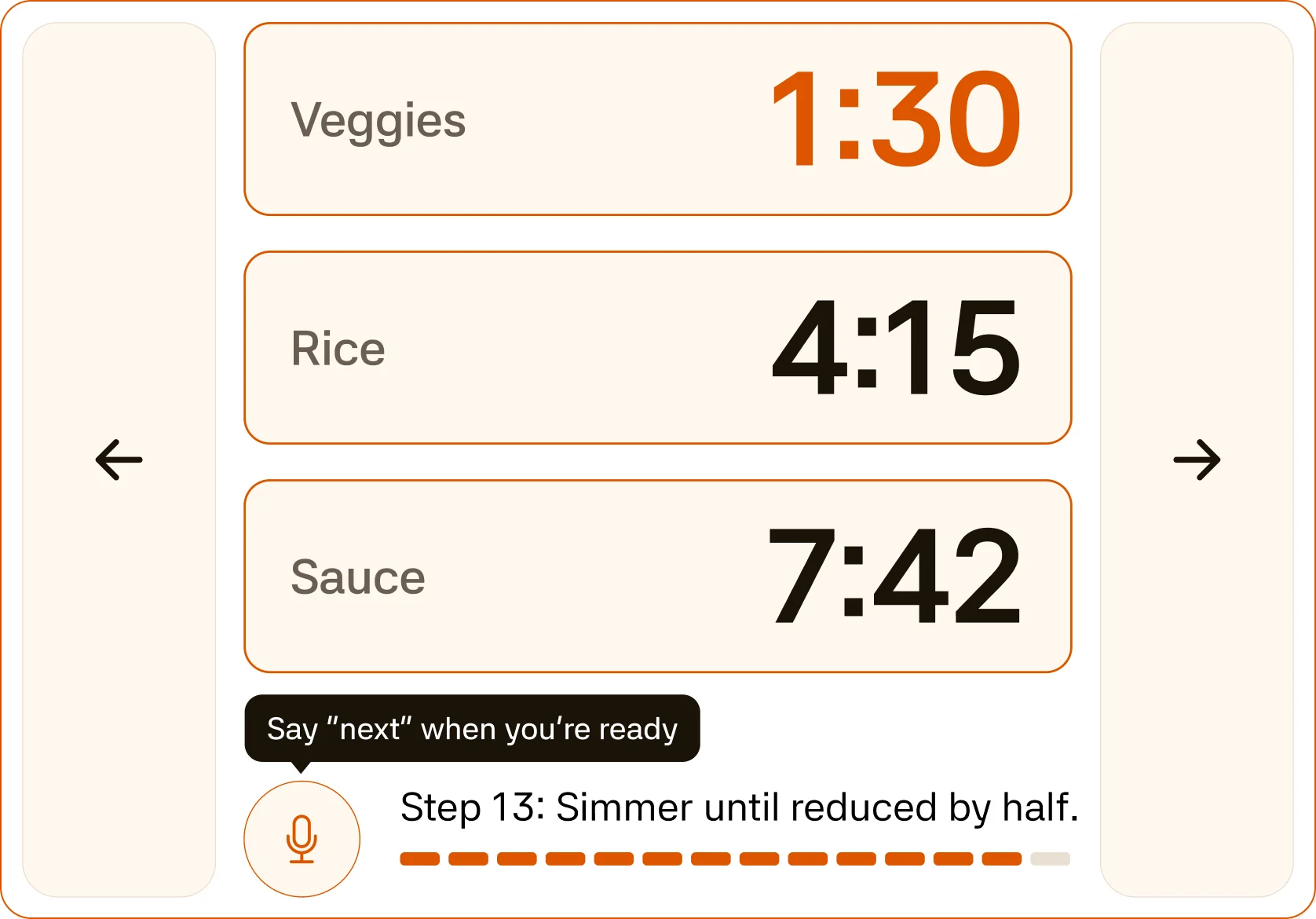
Nothing to do but wait
The timers take the whole screen.
Want to see everyscreen and state?
Check out the full projectNEXT UP