Planit

  • USER RESEARCH
  • UX/UI DESIGN
  • CLASSROOM PROJECT
  • 6 WEEKS

Ten million weddings a year.Almost none run through a structured planner.

India hosts an estimated 10 million weddings a year, most of them spread across three to five separate functions. It is one of the country’s largest categories of household spending, roughly ₹11 lakh crore annually and almost none of it passes through a professional organiser.

The gap is filled by the host: a family member sourcing vendors through referrals, negotiating over WhatsApp, and coordinating fifteen suppliers on the day with no shared source of truth.

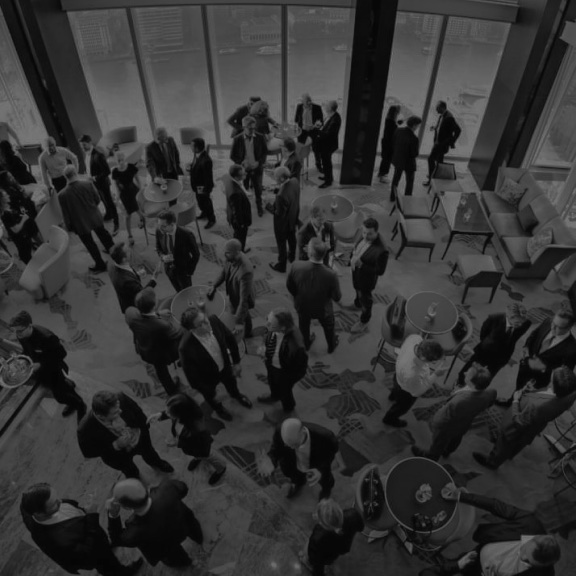
A wedding reception hall filled with guests under chandelier light

Hosts have no trustworthy way to source and vet vendors, and no single place to coordinate them once booked.

Every part of the job lives somewhere else. Vendors are found on Instagram and through referrals. Quotes arrive as WhatsApp voice notes. Budgets live in a Notes app or a diary. Confirmations are verbal. Nothing is comparable, nothing is auditable, and nothing is in one place.

The cost lands in three places: money, through charges that surface only after booking; time, through the follow-up calls it takes to hold fifteen vendors to a schedule; and risk, because on the day itself there is no concrete documented version of the plan that everyone is working from.

Target Audience

Guests dancing at a wedding receptionA crowd gathered at an evening celebrationA lit stage at a family function

Individual hosts and family organisers in urban India; coming from middle and upper-middle income backgrounds running weddings, personal celebrations, college events, small-scale corporate events and community gatherings. The person who ends up running the event because it is their family’s/office’s event, usually alongside a full-time job, usually for the first time.

I. Primary Research

  1. What type of events do our target audience host?

    Nearly two thirds are weddings or family functions, the highest-stakes category and the one a host is least able to walk away from.

    Wedding or family-related function
    63.4%
    Personal Celebration
    12.2%
    Corporate events
    12.2%
    Community or religious gathering
    9.8%
    College events
    2.4%

    Family events and weddings are the top priority to solve for. Highest spend, highest stakes, and the one event a host cannot walk away from.

  2. How often do they host events with 50+ guests?

    Around three quarters host at this scale once a year or less. Nobody gets good at this; whatever was learned last time is a year stale.

    Once every 1–2 years
    29.3%
    Once a year
    24.4%
    Never
    24.4%
    More than 3 times a year
    12.2%
    2–3 times a year
    9.8%

    Every host is effectively a first-timer, so the product has to carry the expertise they do not have, while making the app easy to use.

  3. What type of vendor do they usually prefer?

    Over two thirds prefer small, local vendors; the same vendors with no website, no published rates and no reviews beyond word of mouth.

    Small-scale / local vendor
    68.3%
    No preference
    22%
    Large / well-established
    9.8%

    Personal service is the draw, so the platform has to bring small local vendors online, not replace them with bigger ones.

II. Empathy Map & User Persona

Empathy map

SAYS

  • “We need one single platform for everything. The final budget far exceeds the initial one.”
  • “Why wasn’t this extra charge in the initial payment breakup?”
  • “I wish I could see verified reviews and a proper portfolio before hiring them.”
  • “The client/committee keeps changing their mind about what they want.”

THINKS

  • “Did I confirm that detail with the vendor? Was it on WhatsApp or email?”
  • “Why isn’t there an easier way to do this? I’m wasting so much energy just coordinating.”
  • “If this goes wrong it will be a disaster. I’m responsible for everyone’s experience.”
  • “I hope this vendor is as professional as their Instagram looks.”

DOES

  • Spends significant time making follow-up calls and sending messages.
  • Acts as the single point of contact for all problems on the event day.
  • Firefights last-minute issues like vendor delays, technical glitches or power supply problems.
  • Manually tracks expenses in a diary with no real-time overview of the budget.

FEELS

  • Overwhelmed by the sheer number of tasks and vendors to manage.
  • Stressed about the responsibility of ensuring the event is a success.
  • Frustrated with the inefficiency, lack of transparency and poor communication.
  • Disappointed that they cannot relax and enjoy an event they spent months planning.

User persona

Portrait of Khushi Sonawane

Khushi Sonawane

Age 27 · HR Manager at a corporate office

Pune, Maharashtra, India

“If this goes wrong, it’s a disaster. I’m responsible for everyone’s experience. I just wish there was one easier way to manage it all.”

Khushi is the dependable organiser who works full time. Right now she’s planning her sister’s wedding, single-handedly juggling vendors, budgets and timelines while carrying the pressure of making sure the day goes perfectly, alongside her hectic work schedule.

GOALS

  • Run the entire event from one single platform.
  • Keep the final budget in line with the initial estimate.
  • Book trusted vendors with verified reviews and portfolios.
  • Coordinate vendors and tasks without endless follow-ups.

NEEDS

  • Verified vendor reviews and portfolios before booking.
  • A transparent, itemised payment breakup with no hidden charges.
  • One place to confirm and track every vendor detail.
  • A real-time view of the budget as costs change.

FRUSTRATIONS

  • Overwhelmed by the number of tasks and vendors to manage.
  • Budgets overshoot; extra charges surface late.
  • Poor transparency and communication with vendors.
  • Tracking expenses by hand, with no live overview.

MOTIVATIONS

  • Making sure the event succeeds and everyone enjoys it.
  • Being able to relax and enjoy the event she planned.
  • Looking organised and dependable to family and clients.

III. User Journey Map

StageUser ActionsTouchpointsThoughts & FeelingsPain PointsOpportunities
Need EventRealizes a family or corporate event needs planningPersonal calendar, email, colleagues / friends“I need this to be smooth and impressive”Feeling overwhelmedA platform to consolidate planning
Find VendorsSearches for caterers, decorators, venuesGoogle, Instagram, WhatsApp, referrals“Which vendors are reliable?”Scattered info, unclear trustCentralized vendor database with reviews
Compare Vendors & BudgetShortlists vendors, checks pricesCalls, messages, Excel / Notes app“Will this fit my budget?”Hidden costs, unclear termsTransparent pricing, budget calculator
Confirm BookingsNegotiates, sends advance paymentsCalls, WhatsApp, email“I hope they confirm on time”Delays in confirmation, no real-time trackingReal-time booking & payment tracking
Coordinate & CommunicateManages multiple vendorsWhatsApp groups, calls, emails“Who said what?” / StressedFragmented communication, repeated follow-upsUnified chat & notification system
Event DayOversees event executionOn-site coordination, calls“I just want this to go smoothly” / AnxiousVendor delays, timeline issuesLive event dashboard, buffer scheduling
Post EventReviews, pays remaining amountsWhatsApp, bank transfers“Was everything worth it?”Manual tracking of payments, feedback not recordedAutomated invoices, review system

IV. Pain Points

Communication is scattered across channels

Vendor conversations live in WhatsApp threads, phone calls and email at once. Nothing is searchable, nothing is attached to the event, and every unanswered question becomes another follow-up call.

Payments and feedback are tracked by hand, or not at all

Advances go out over UPI with no record against the booking. What is paid, part-paid and outstanding lives in the host’s head. After the event nothing is captured, so the next host starts from zero too.

Nothing confirms in real time

A booking is confirmed when a vendor says so on a call. There is no state a host can look at and trust, which is why the anxiety never lets up.

V. My Key Contribution: Dashboard Design

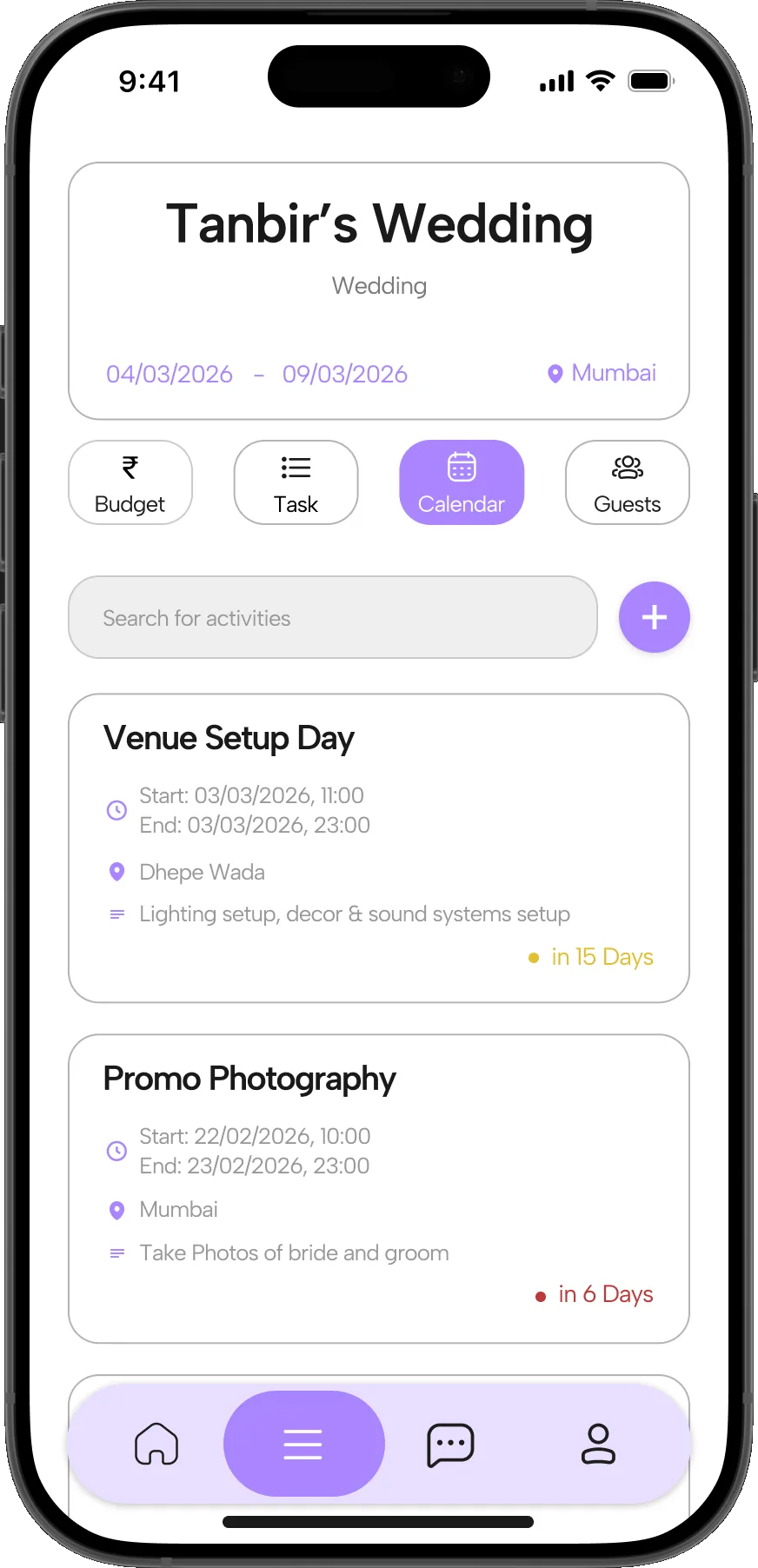
  1. Calendar and Events

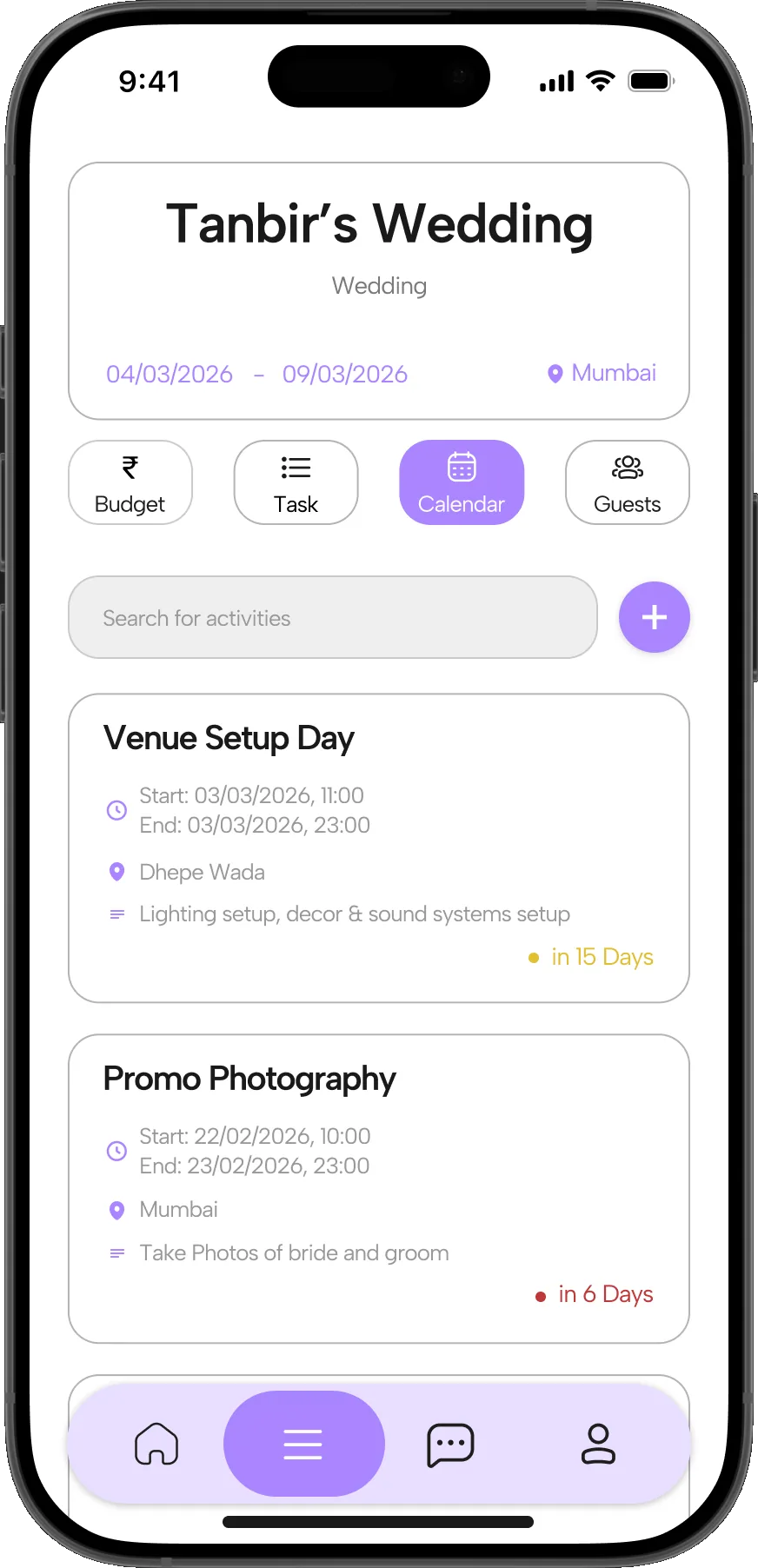
    The dashboard’s Calendar tab: timed entries for Venue Setup Day and Promo Photography, each with a venue, a brief and a countdown
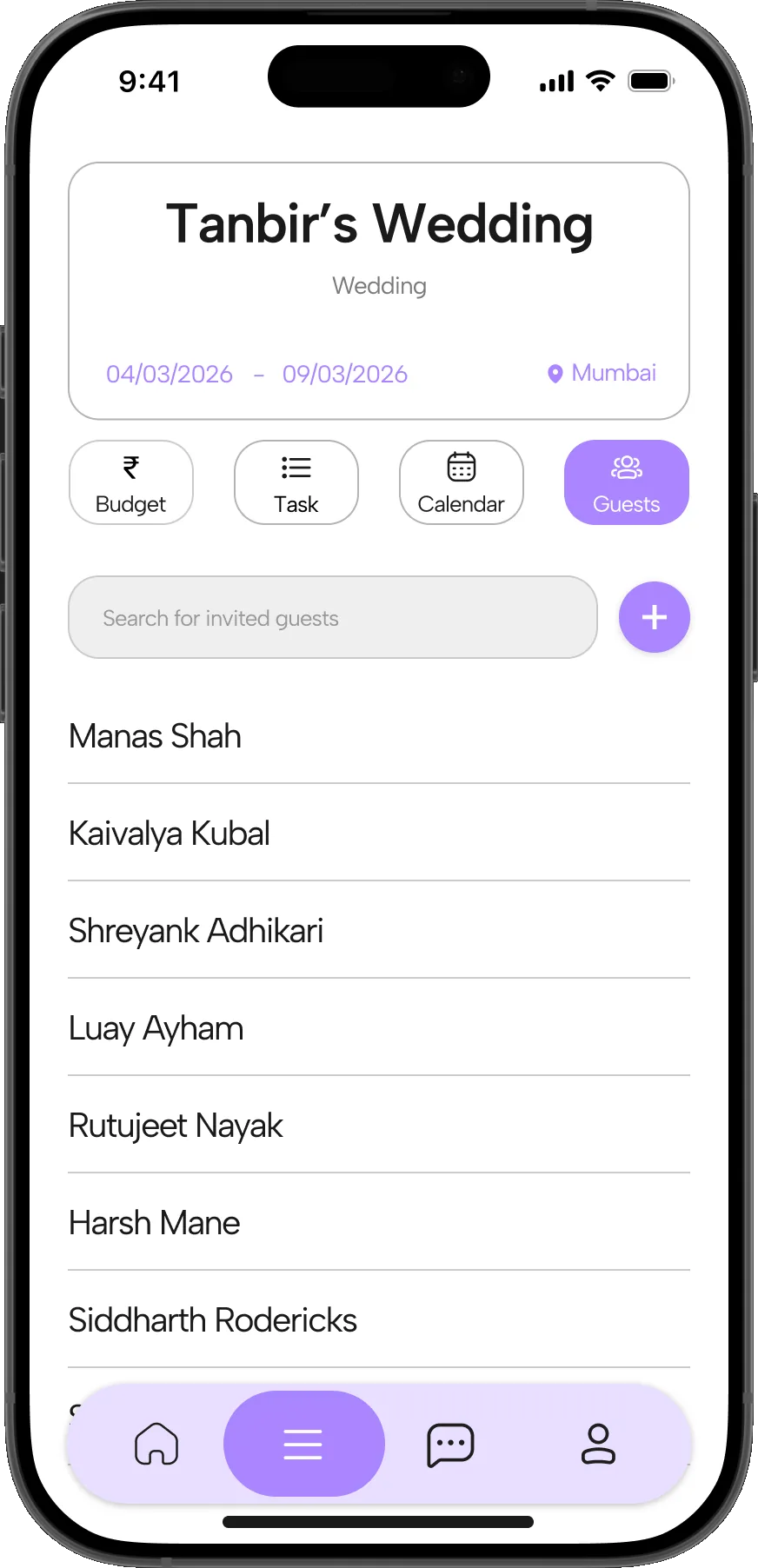
  2. Guest List

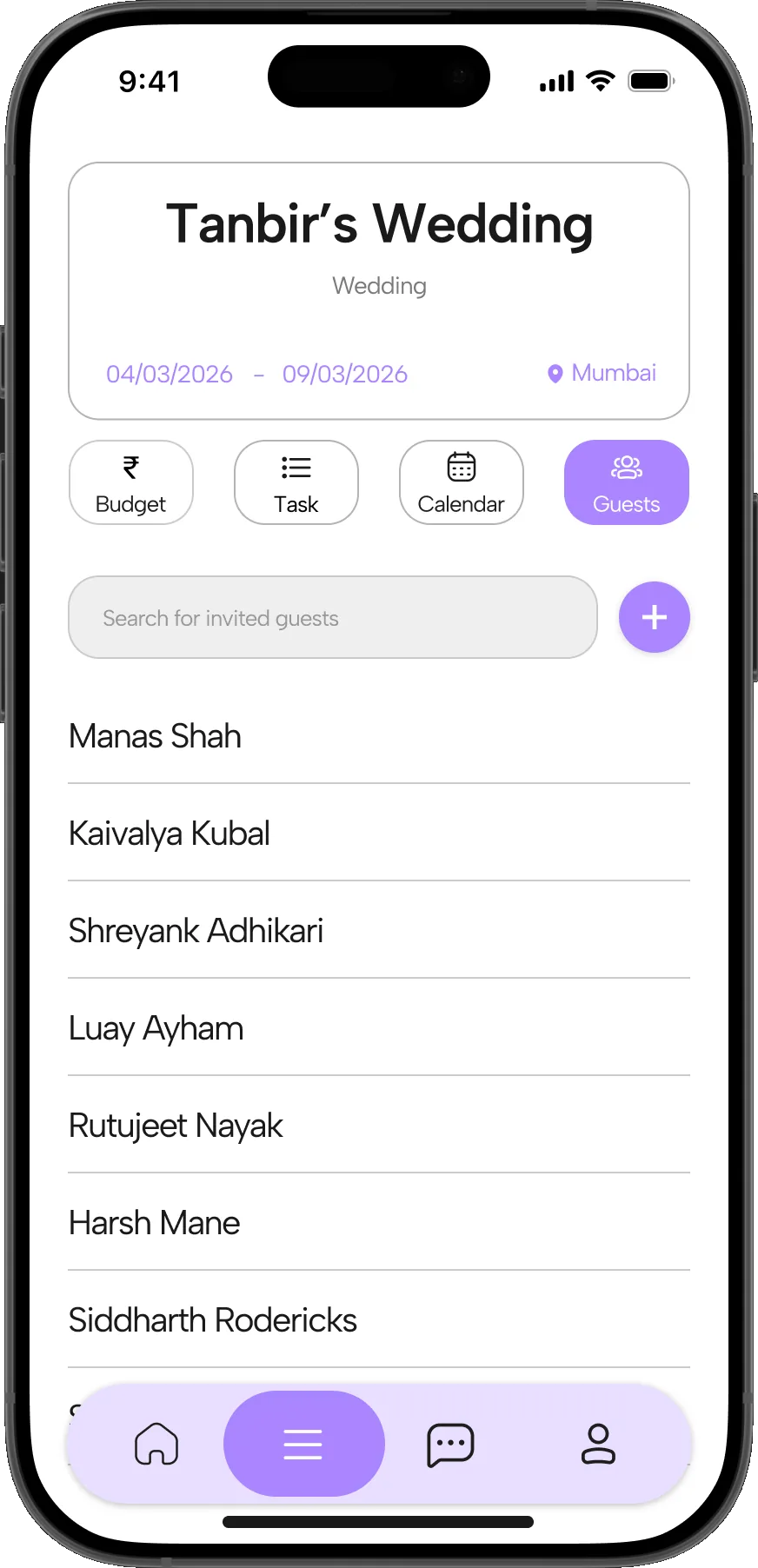
    The dashboard’s Guests tab: a searchable list of invited guests
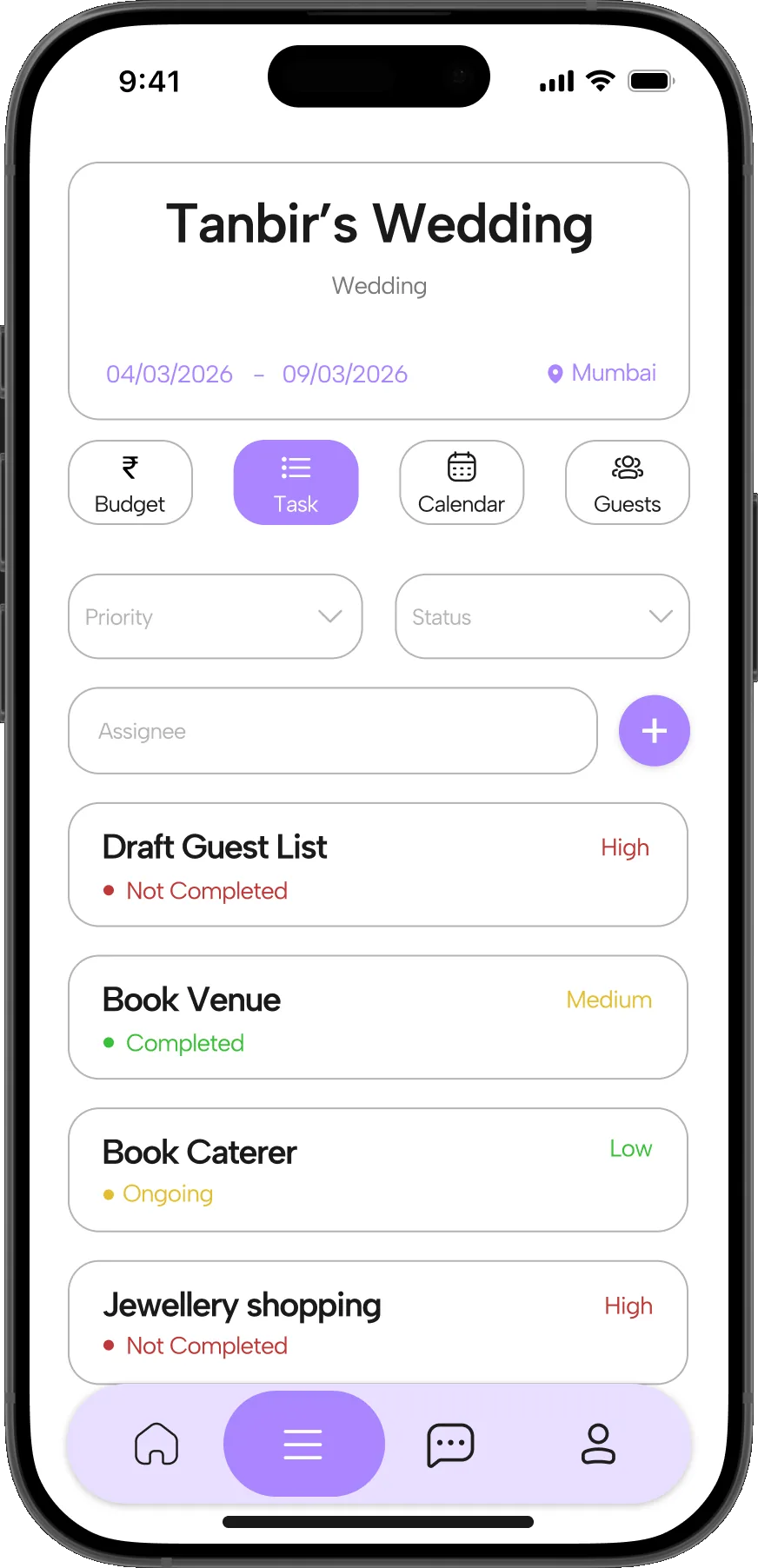
  3. Task List

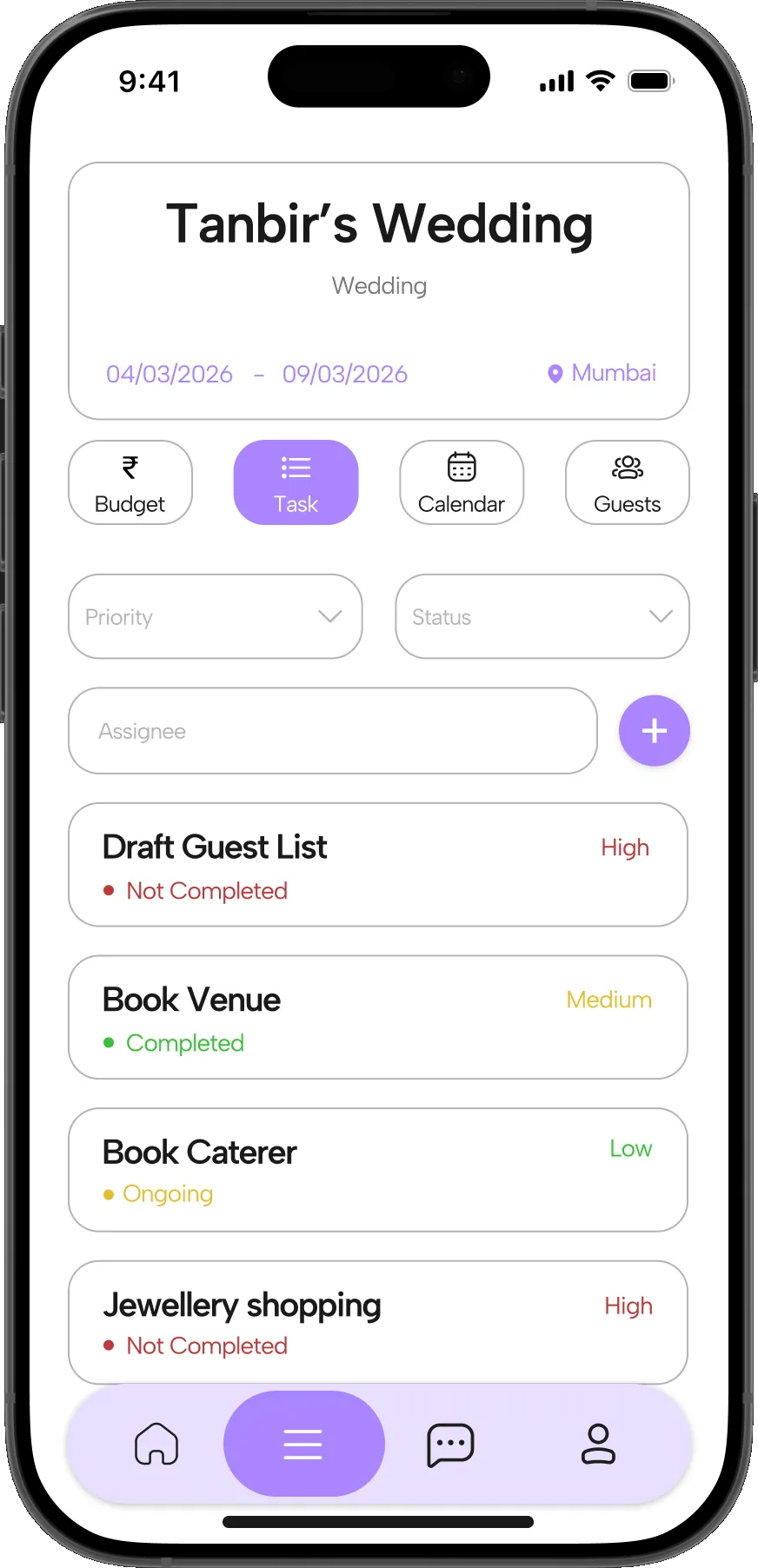
    The dashboard’s Task tab: tasks with a priority and a status, filterable by assignee
  4. Budget and Expenses

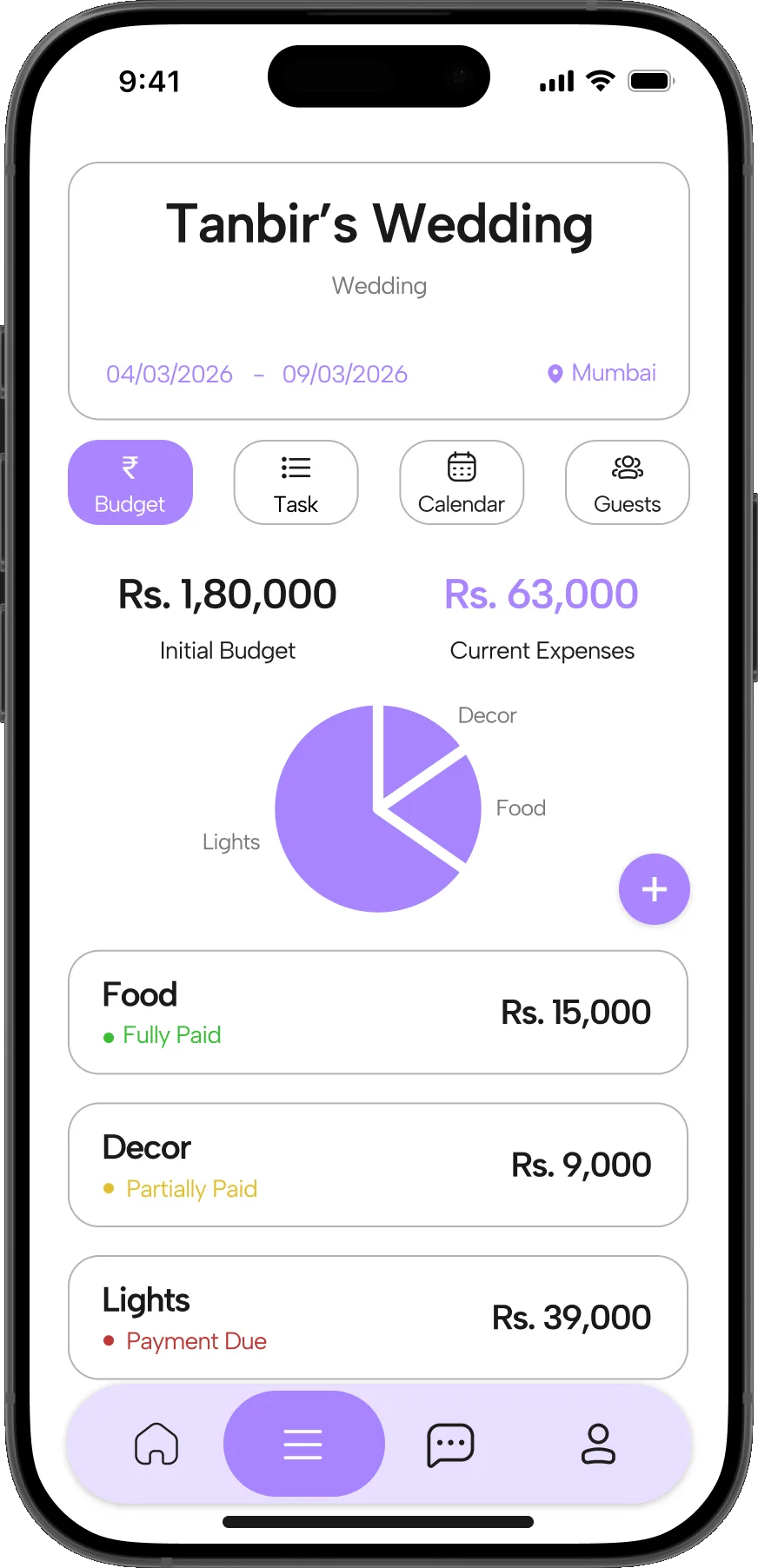
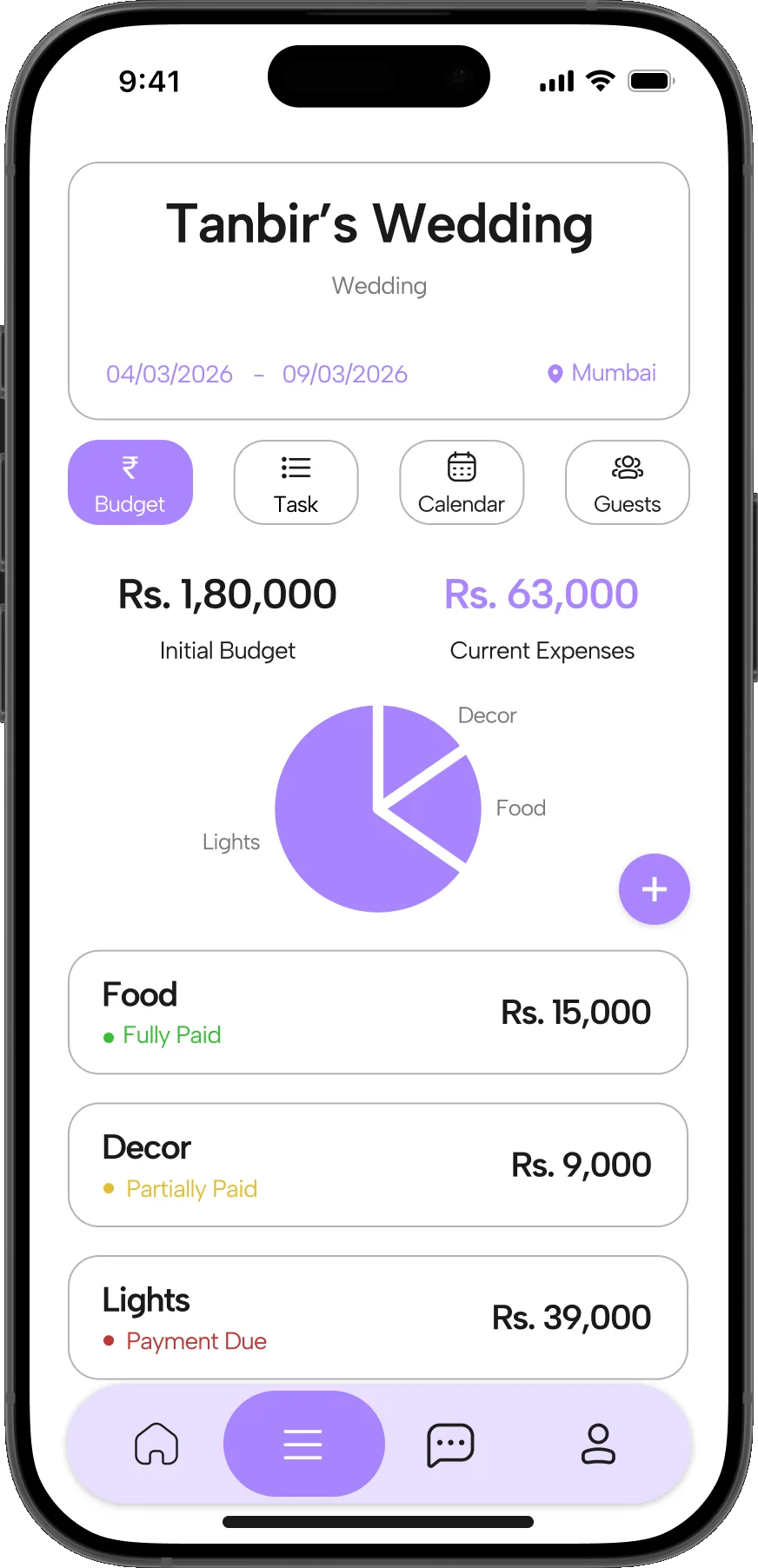
    The dashboard’s Budget tab: initial budget beside current expenses, a pie chart by category, and each vendor marked Fully paid, Partially paid or Payment due

I designed the event dashboard: the screen a host lands on once vendors are booked. The research showed that booking isn’t the hard part. What hurts is everything after it: tracking payments, chasing tasks and keeping dates straight across fifteen vendors. The dashboard puts all of that behind one event card and four tabs, so nothing lives in a chat thread or a diary.

Budget and Expenses

Initial budget and current spend sit side by side, and every vendor shows “Fully paid”, “Partially paid” or “Payment due”. Hosts can see what they still owe without reconstructing it from UPI history.

Task List

Tasks carry a priority and a status, and can be filtered by assignee. The host can hand work to family members and see what’s stuck, instead of being the single point of contact for everything.

Calendar and Events

Every booked activity becomes a timed entry with a venue and a short brief, plus a countdown (“in 15 days”). Hosts see what’s coming next without scrolling back through chats.

Guest List

One searchable list replaces the spreadsheet or notebook most hosts keep on the side. It sits next to budget and tasks because guest count drives catering, venue and decor costs.

VI. Information Architecture

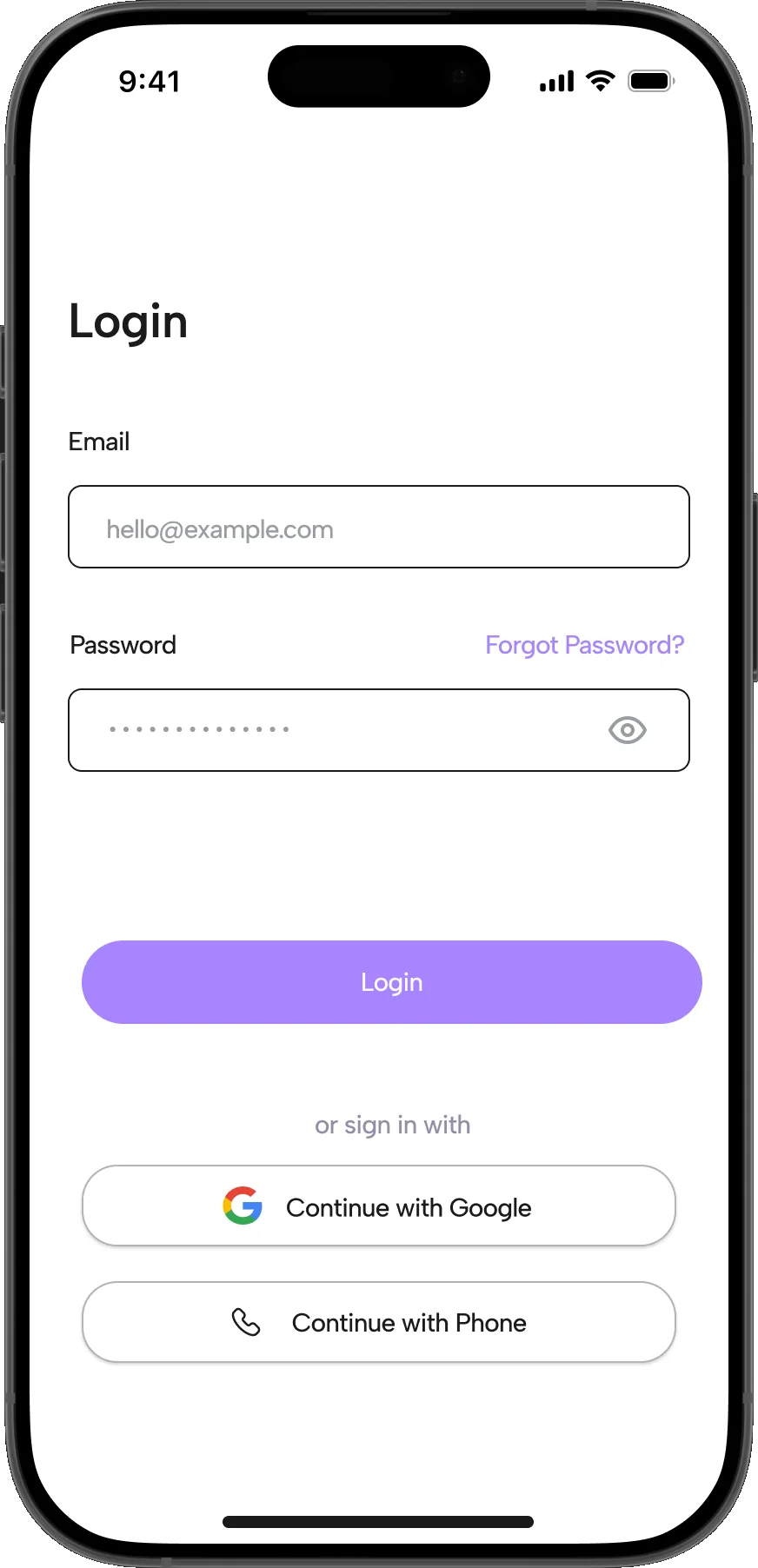
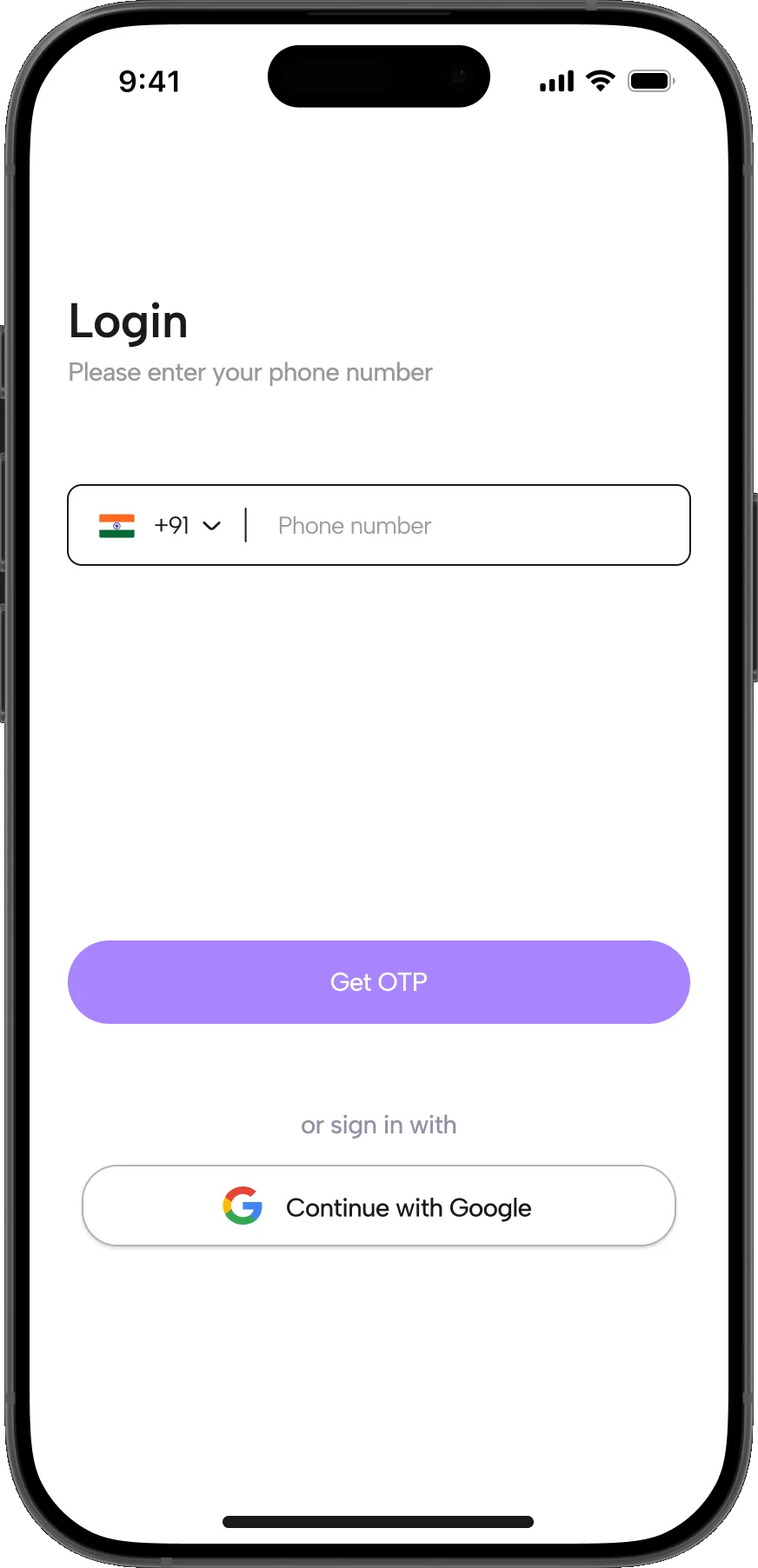
Login / Sign UpEmail · Google · Phone

  • Home

    • Create your own Event
    • Event Creation Processtype · location · dates · guests · budget · moodboard
    • Vendor Marketplacesearch · All / Food / Decor / Catering · ratings
    • Vendor Profileservices · experience · previous work
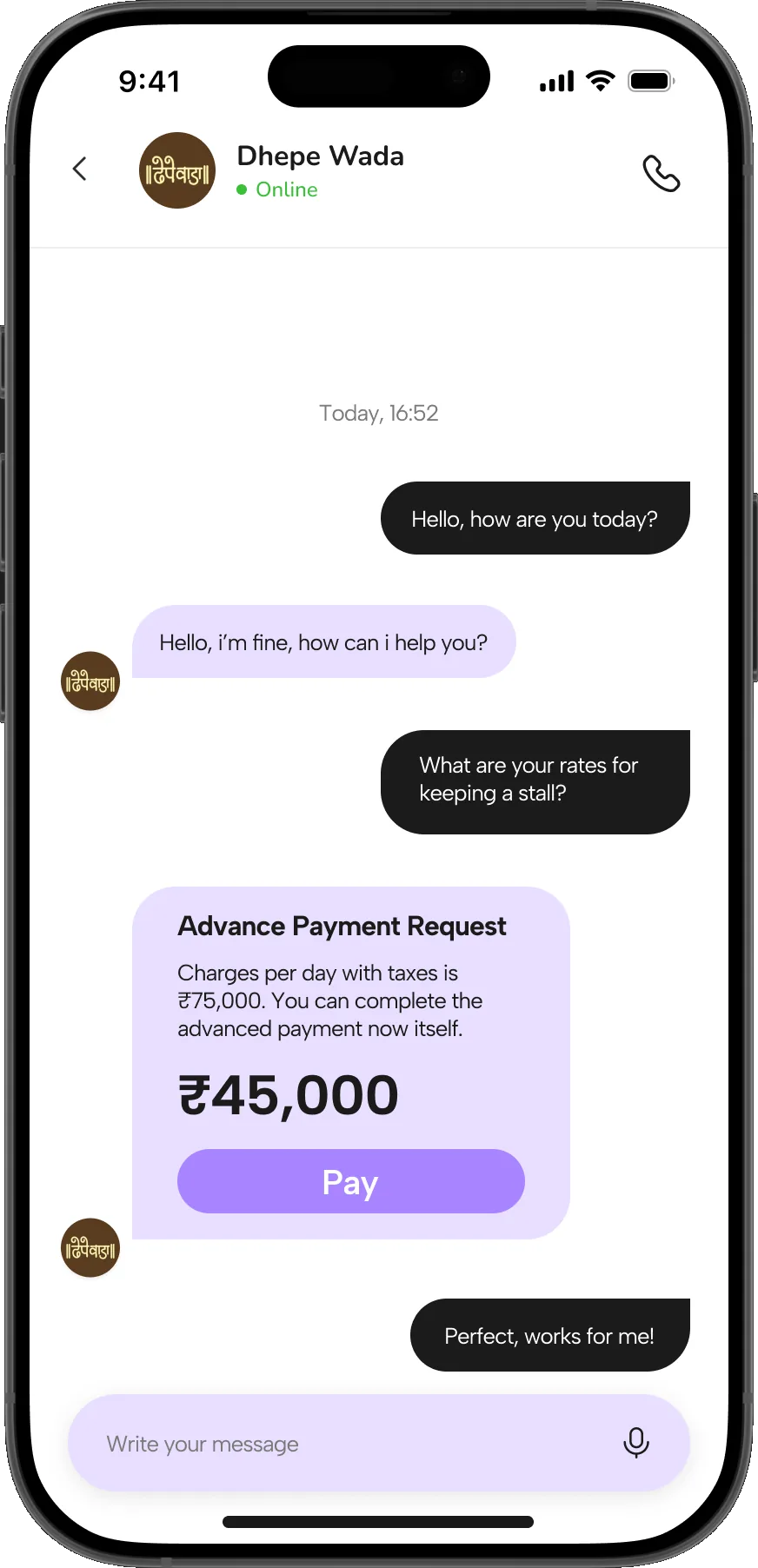
    • Chatmessages · advance payment
    • CategoriesWeddings · Concerts · Corporate · Birthday
  • Dashboard

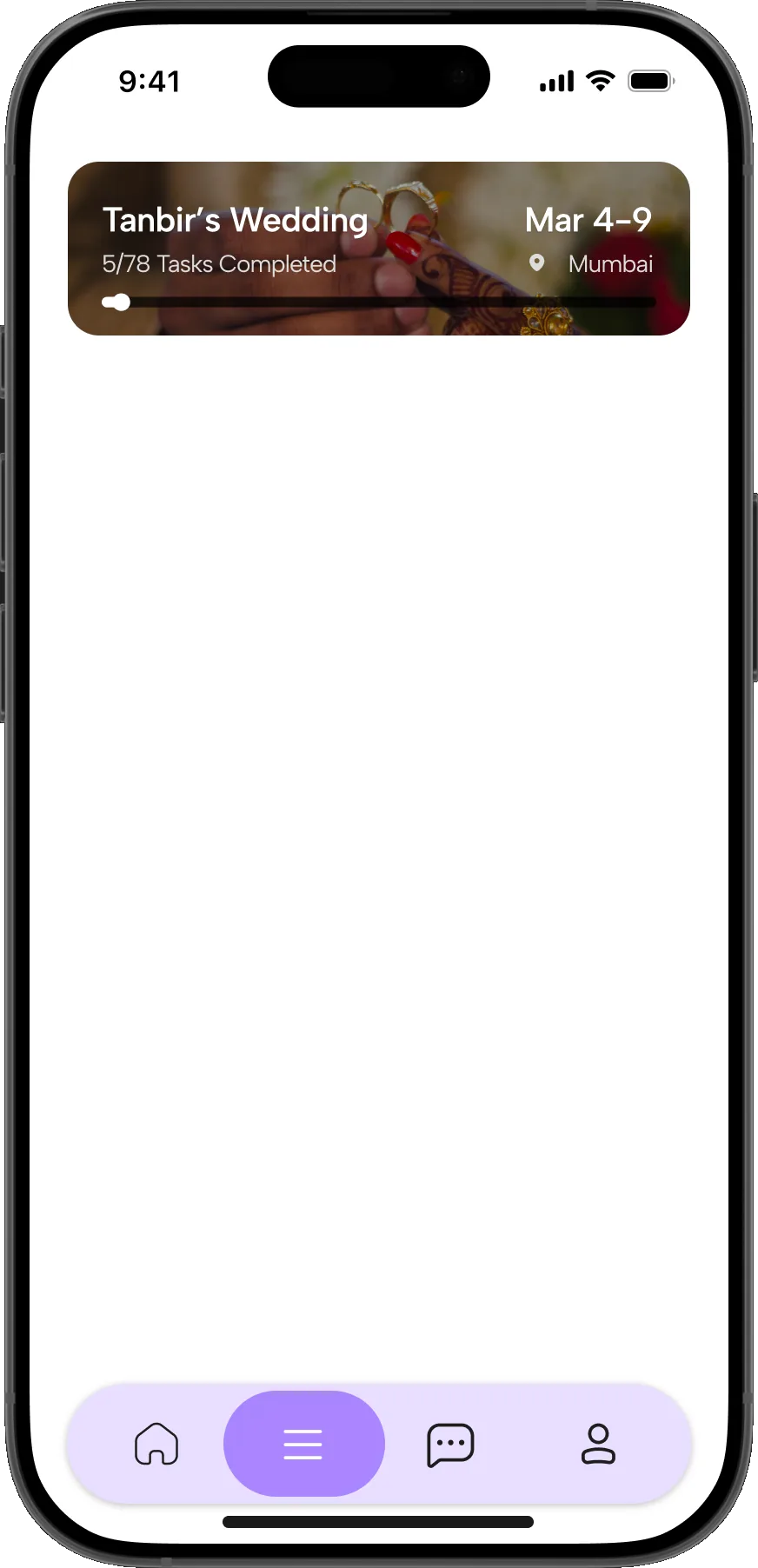
    • My Eventsevent cards · task progress
    • Event Detailper-event workspace
    • Budgetinitial vs expenses · paid / partial / due
    • Taskspriority · status · assignee
    • Calendaractivities · schedule · reminders
    • Guestsguest list
  • Messages

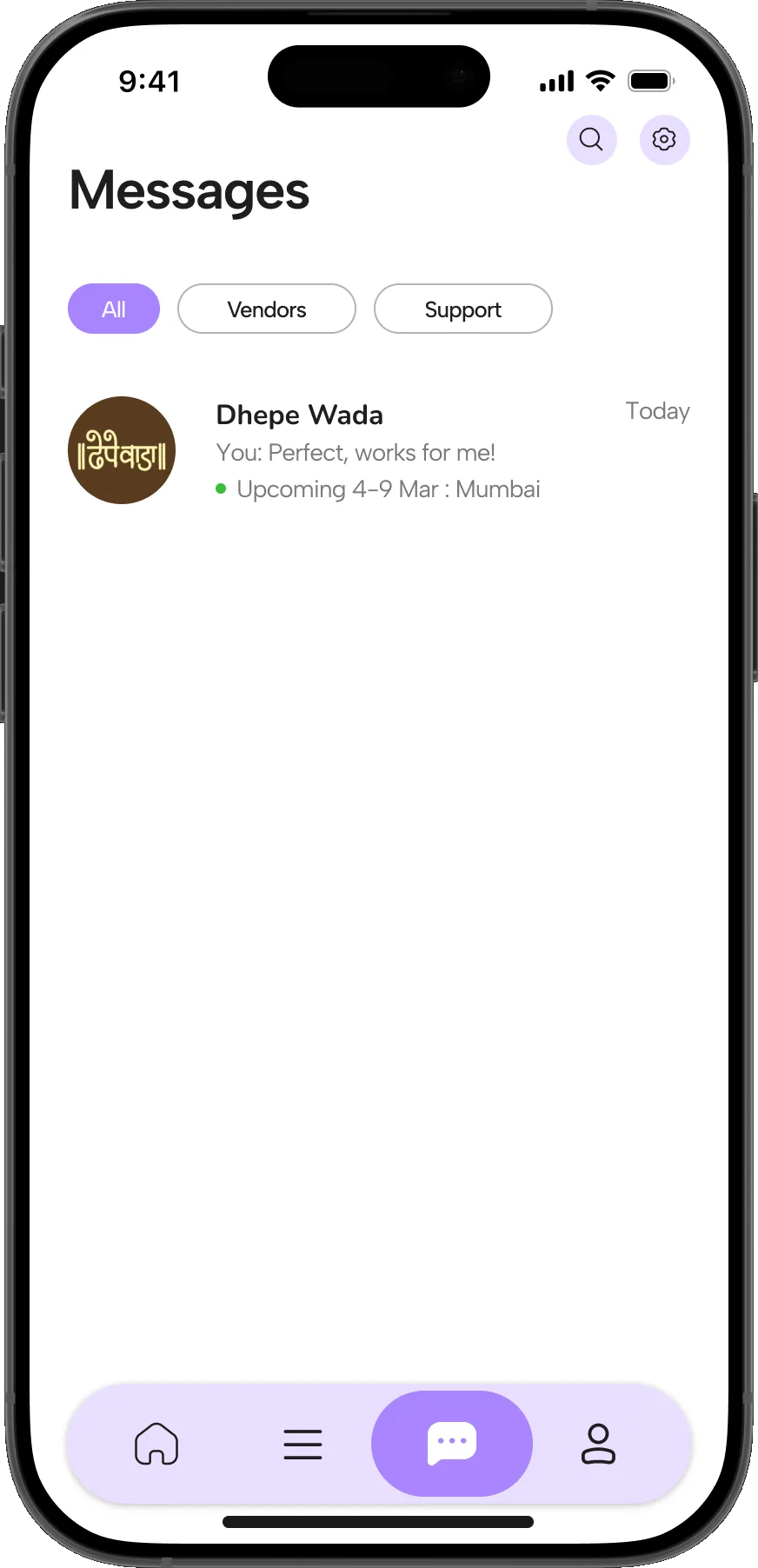
    • ConversationsAll · Vendors · Support
    • Chat Threadreal-time · file sharing
    • In-chat Paymentsadvance request → Pay
  • Profile

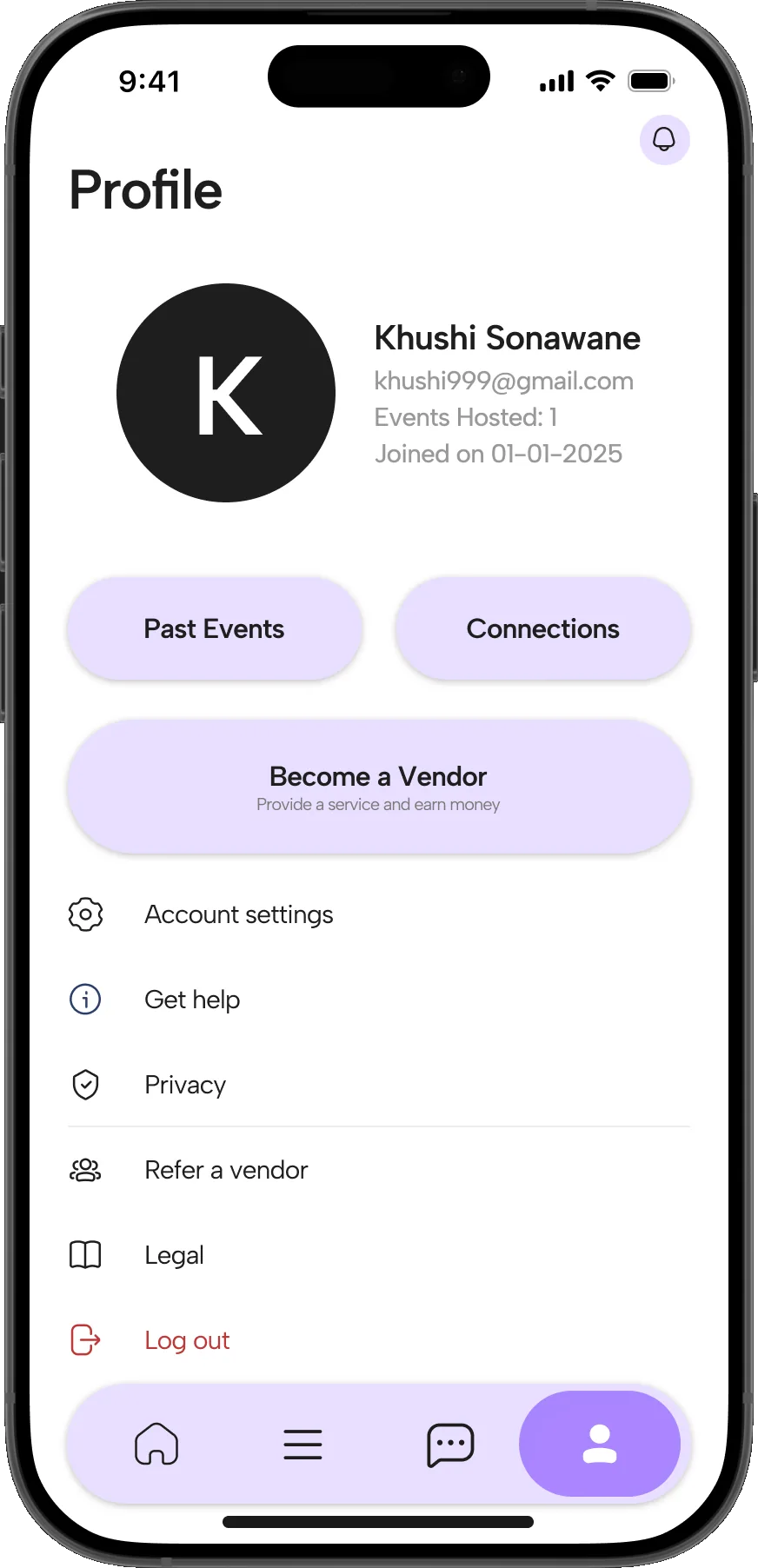
    • My Profileevents hosted · joined date
    • Past Events · Connections
    • Become a Vendor
    • Settingsaccount · privacy · get help
    • Refer a Vendor
    • Legal · Log out

Introducingplanit

A single platform that carries an event from first idea to final payment.

Planit centralises vendor discovery, vetting, booking and day-of coordination; replacing Instagram searches, WhatsApp chats and hand-kept budgets with one managed workflow.

VII. Primary Task Flow

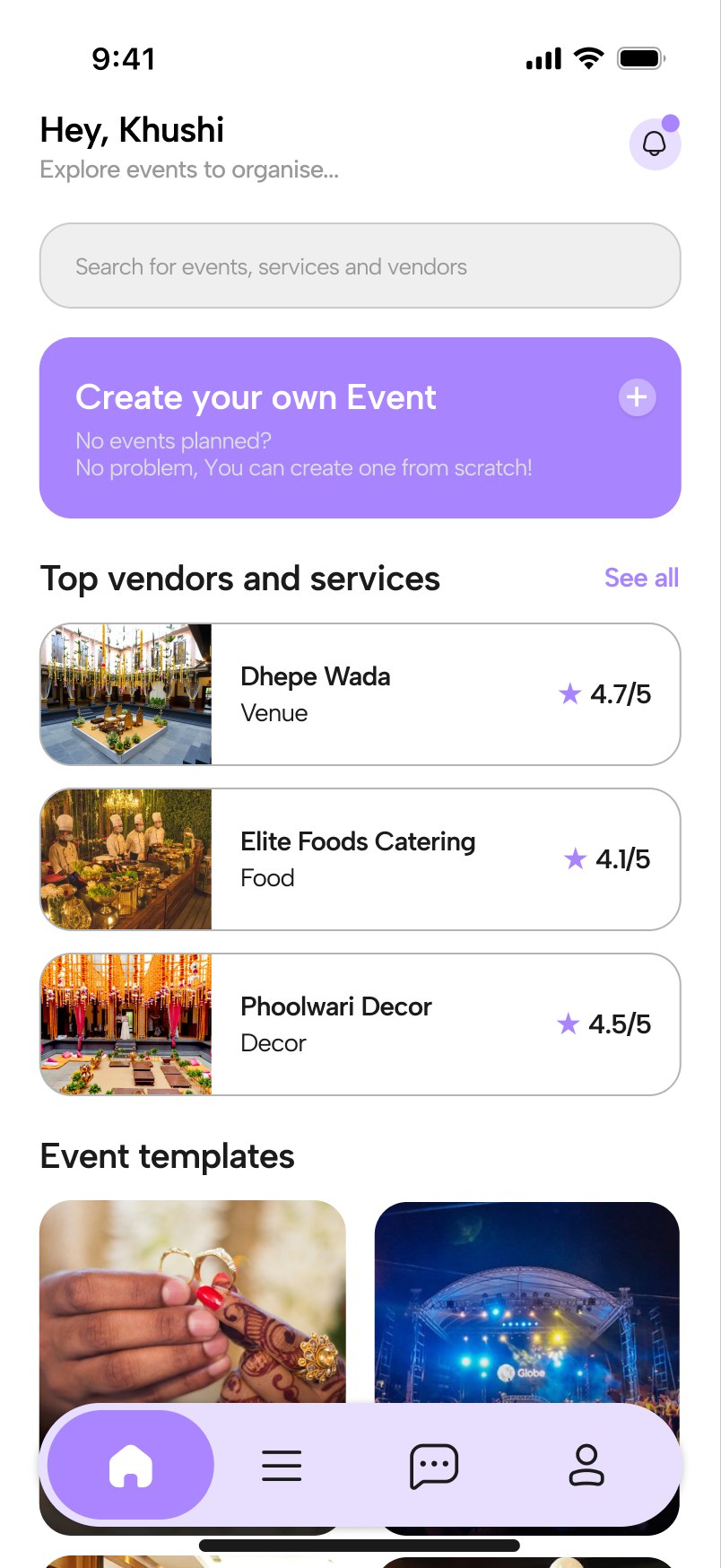
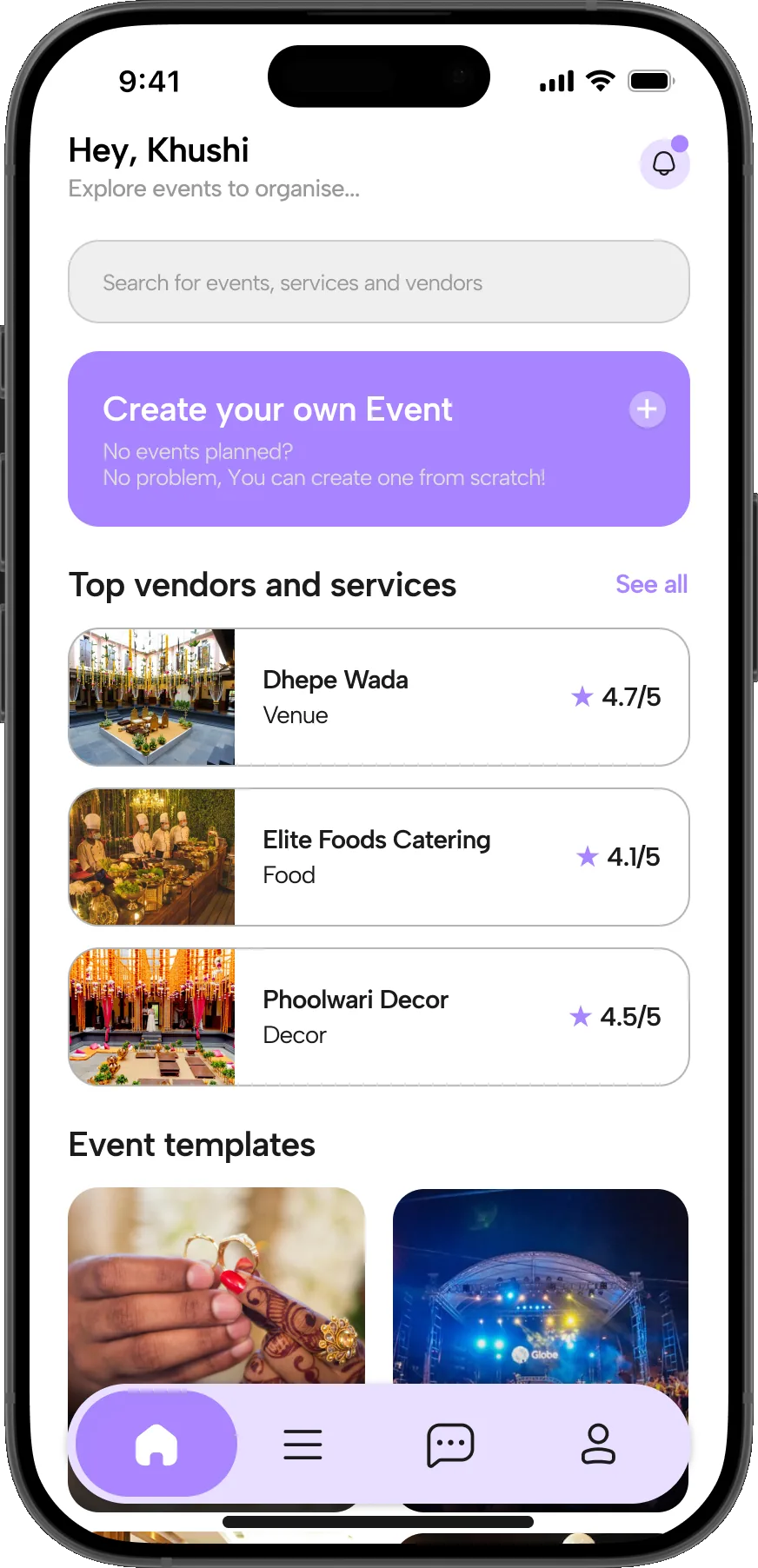
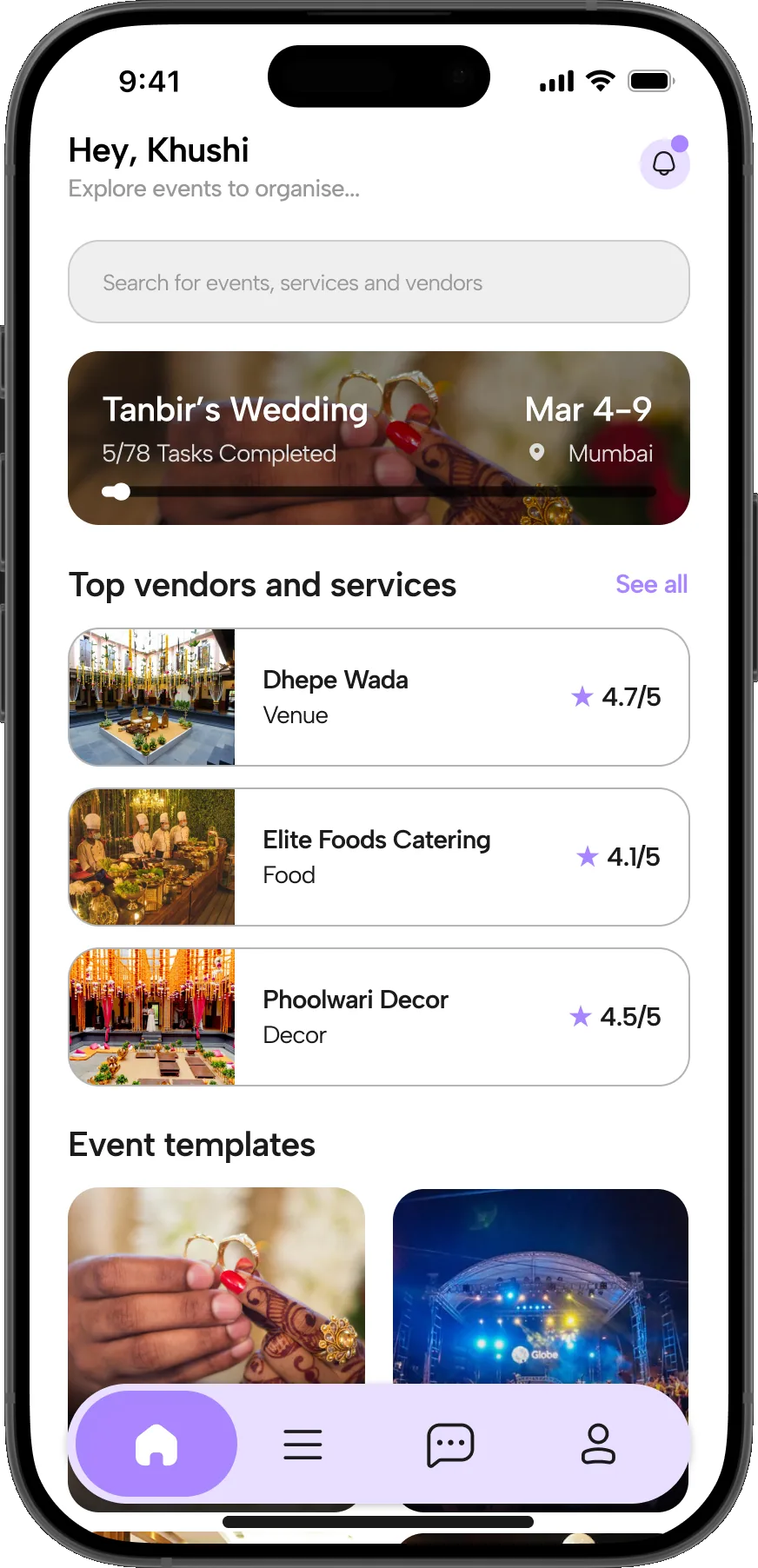
  1. 01Signing in opens the home screen: top vendors and services, event templates, and an entry point to build an event from scratch.

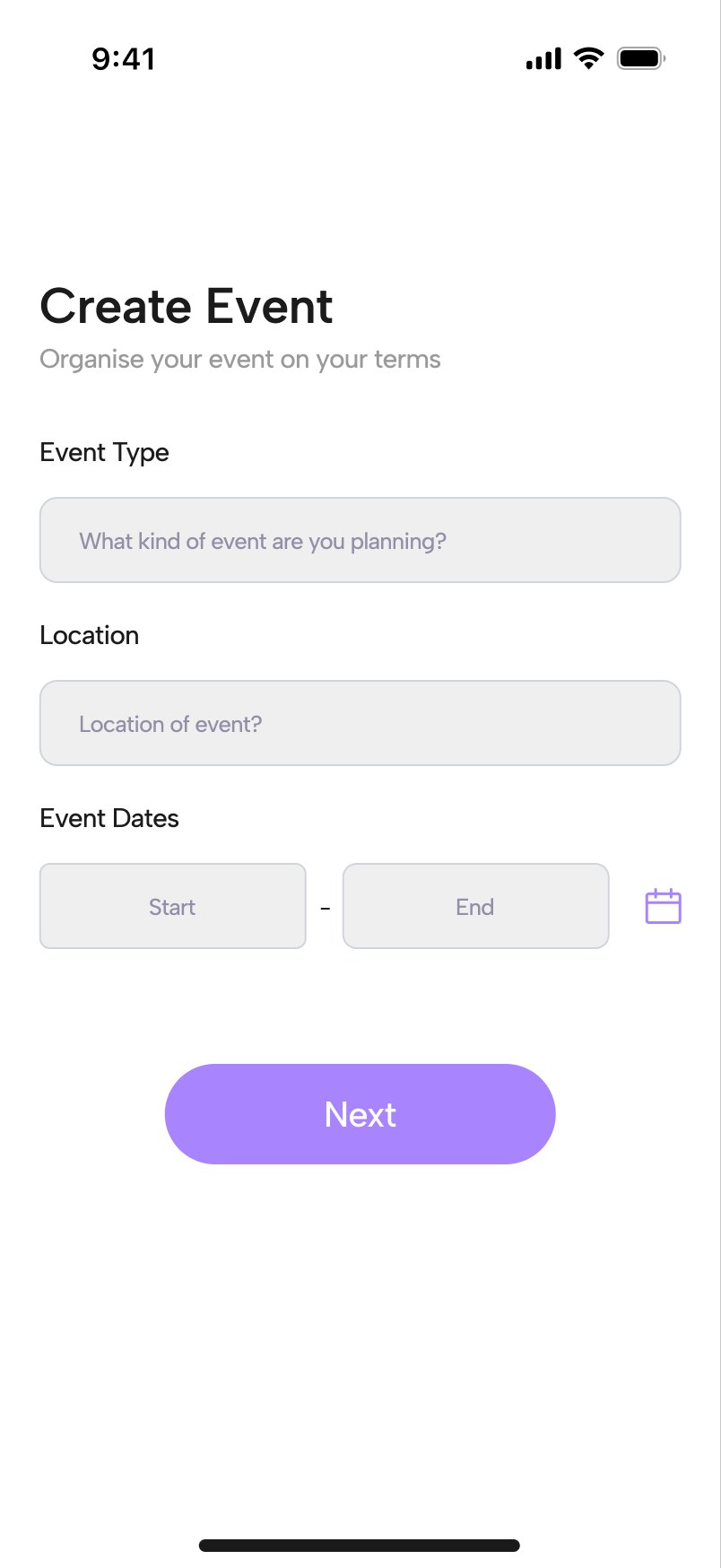
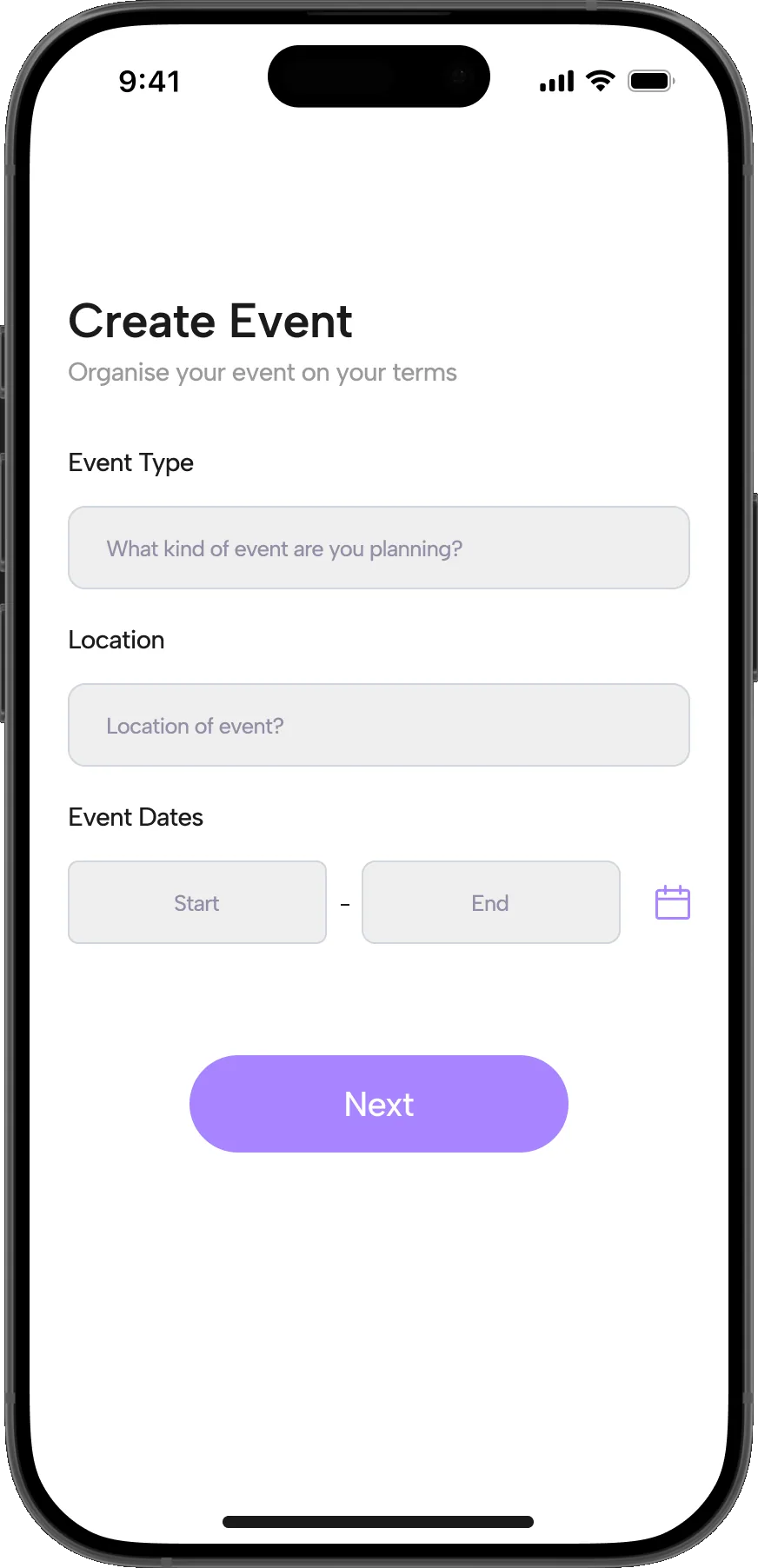
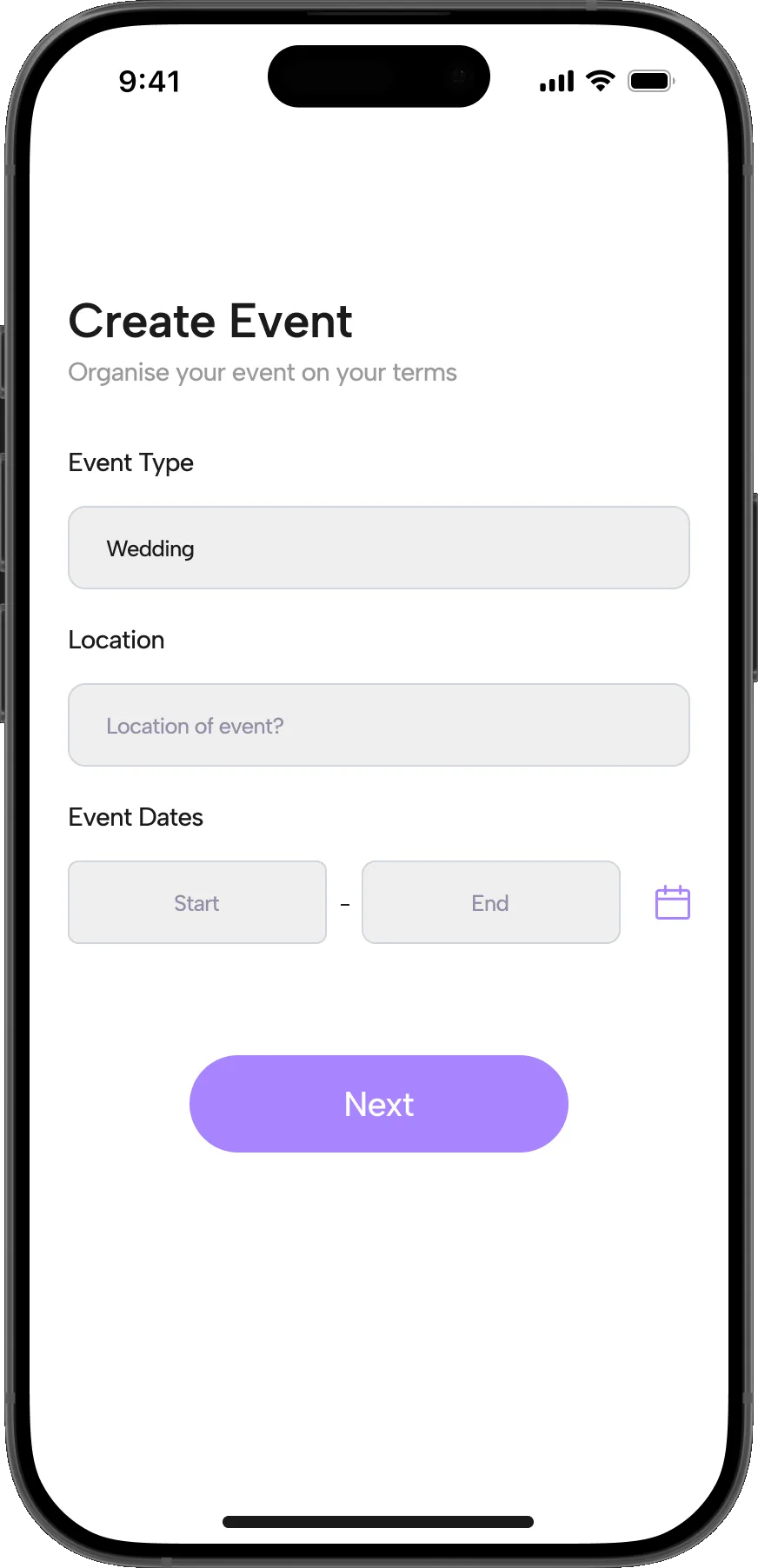
  2. 02The event creation process: event type, location and dates entered against the host’s own requirements.

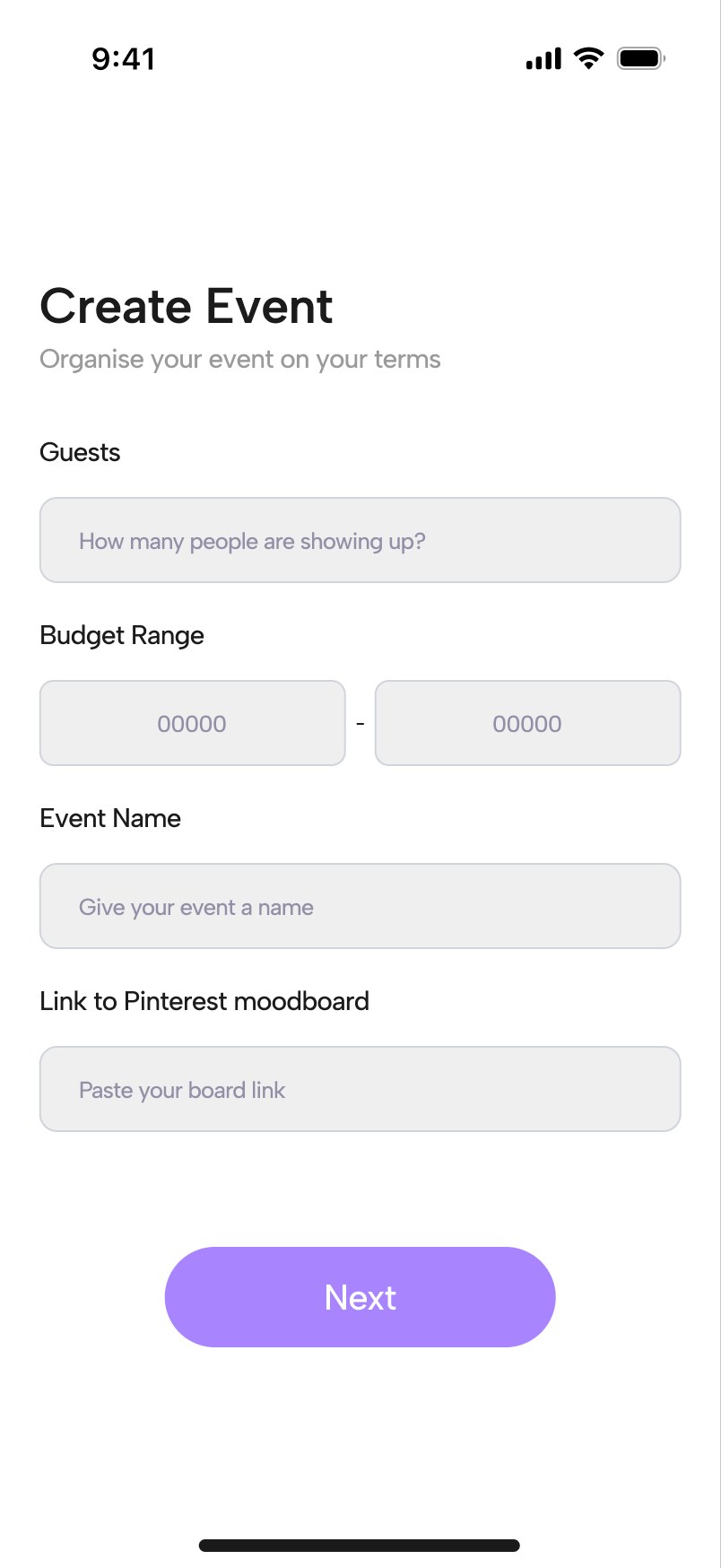
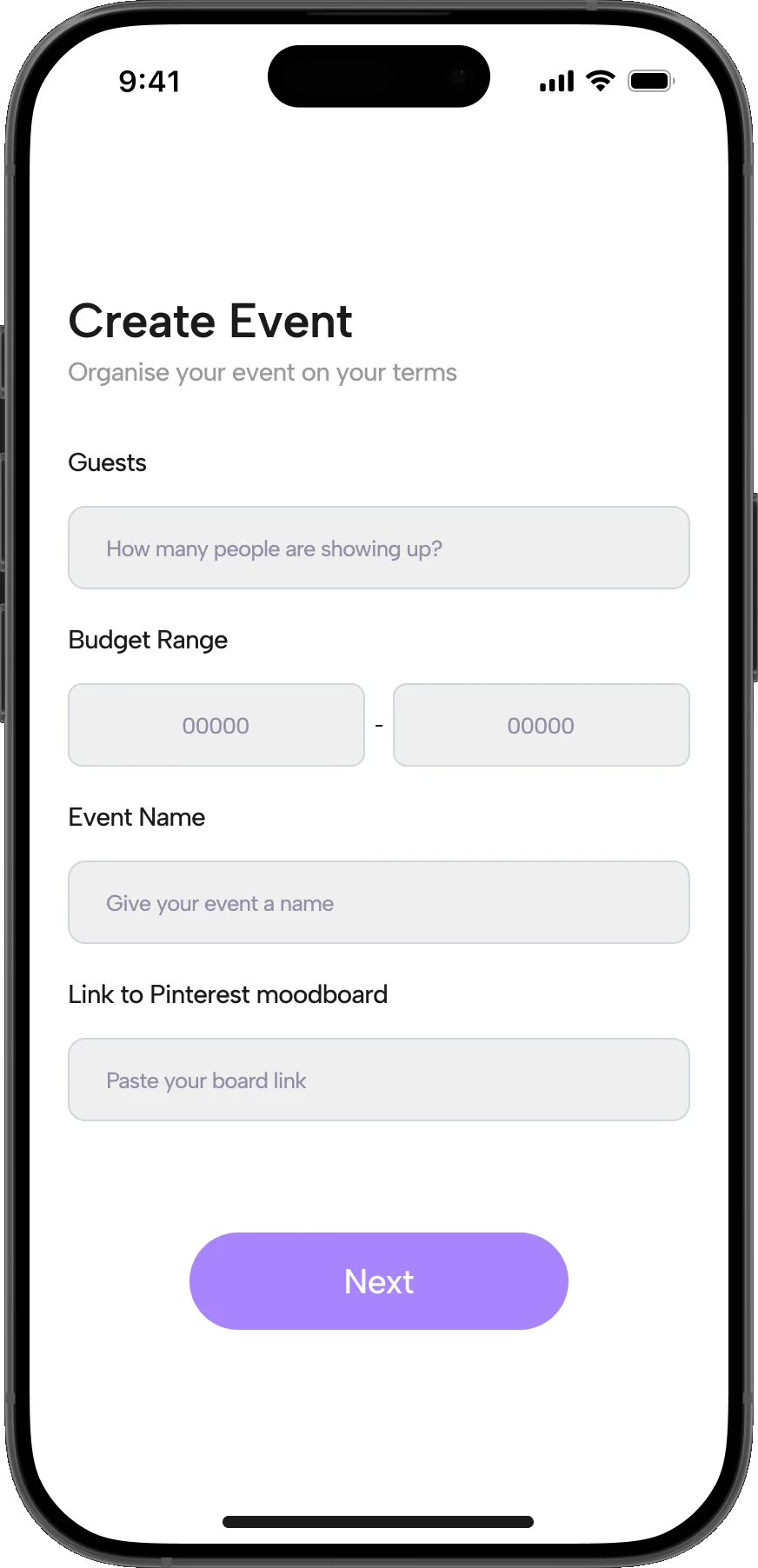
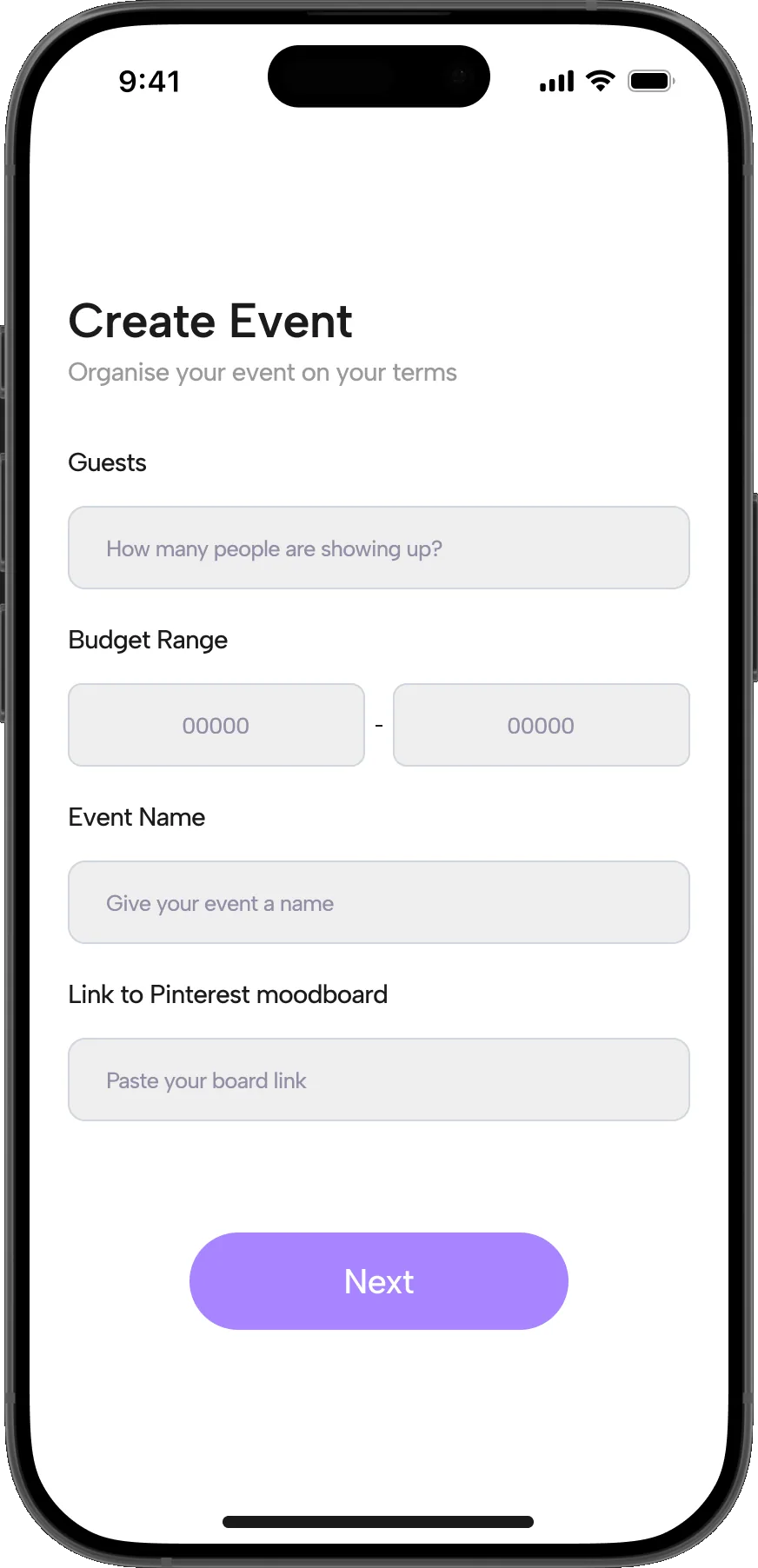
  3. 03Step two lets the user add a Pinterest moodboard for a more curated vendor search, alongside guests, budget and event name.

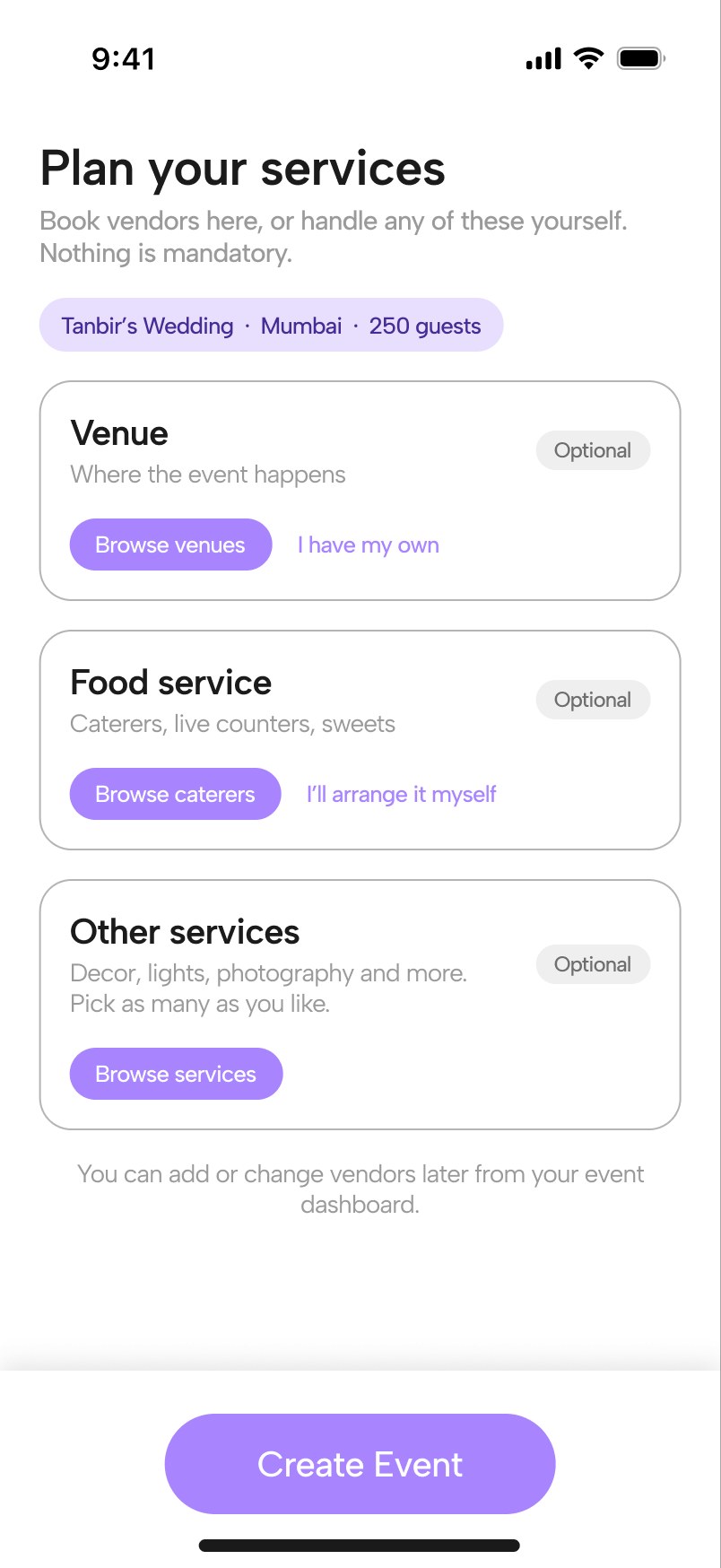
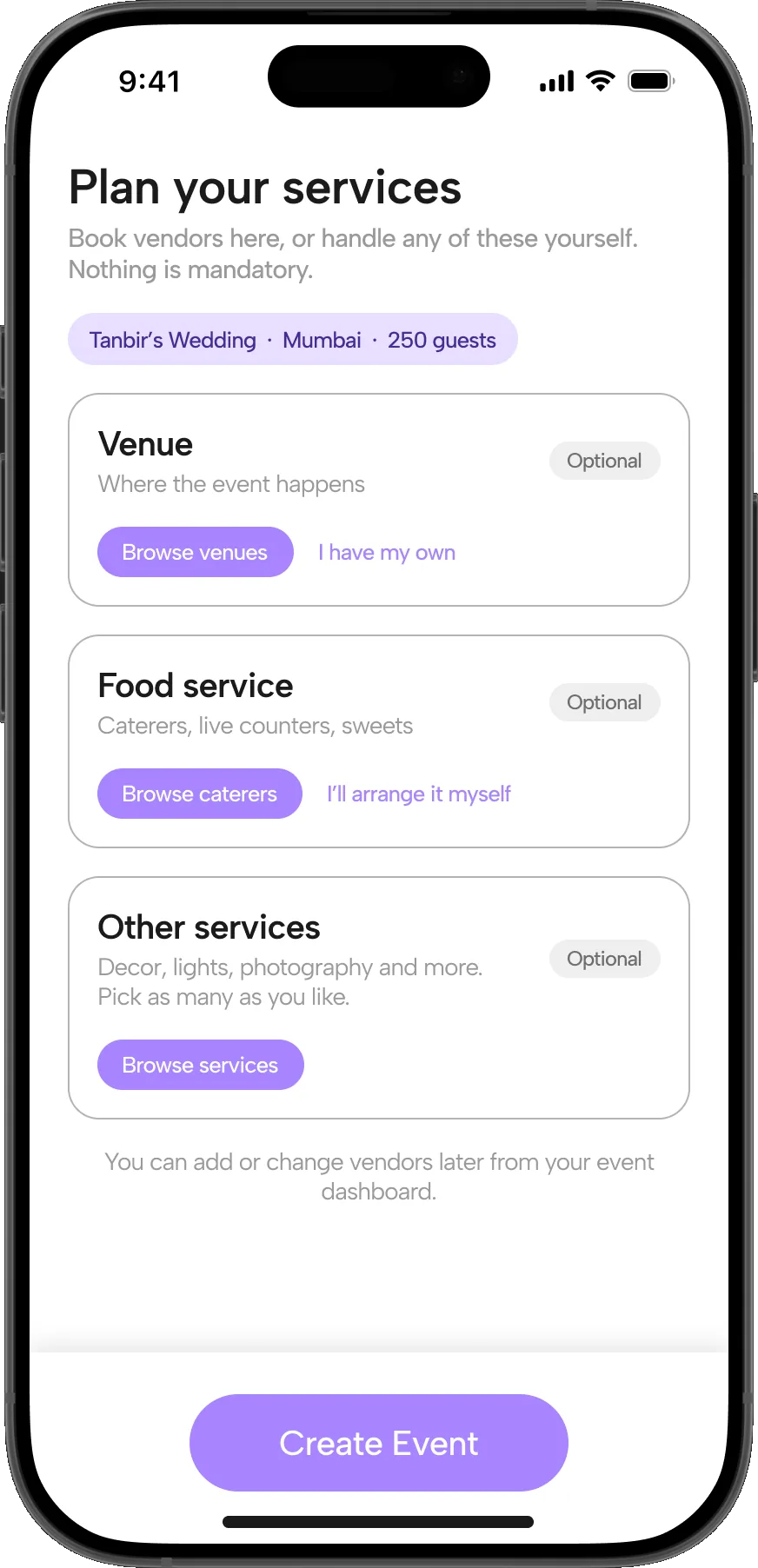
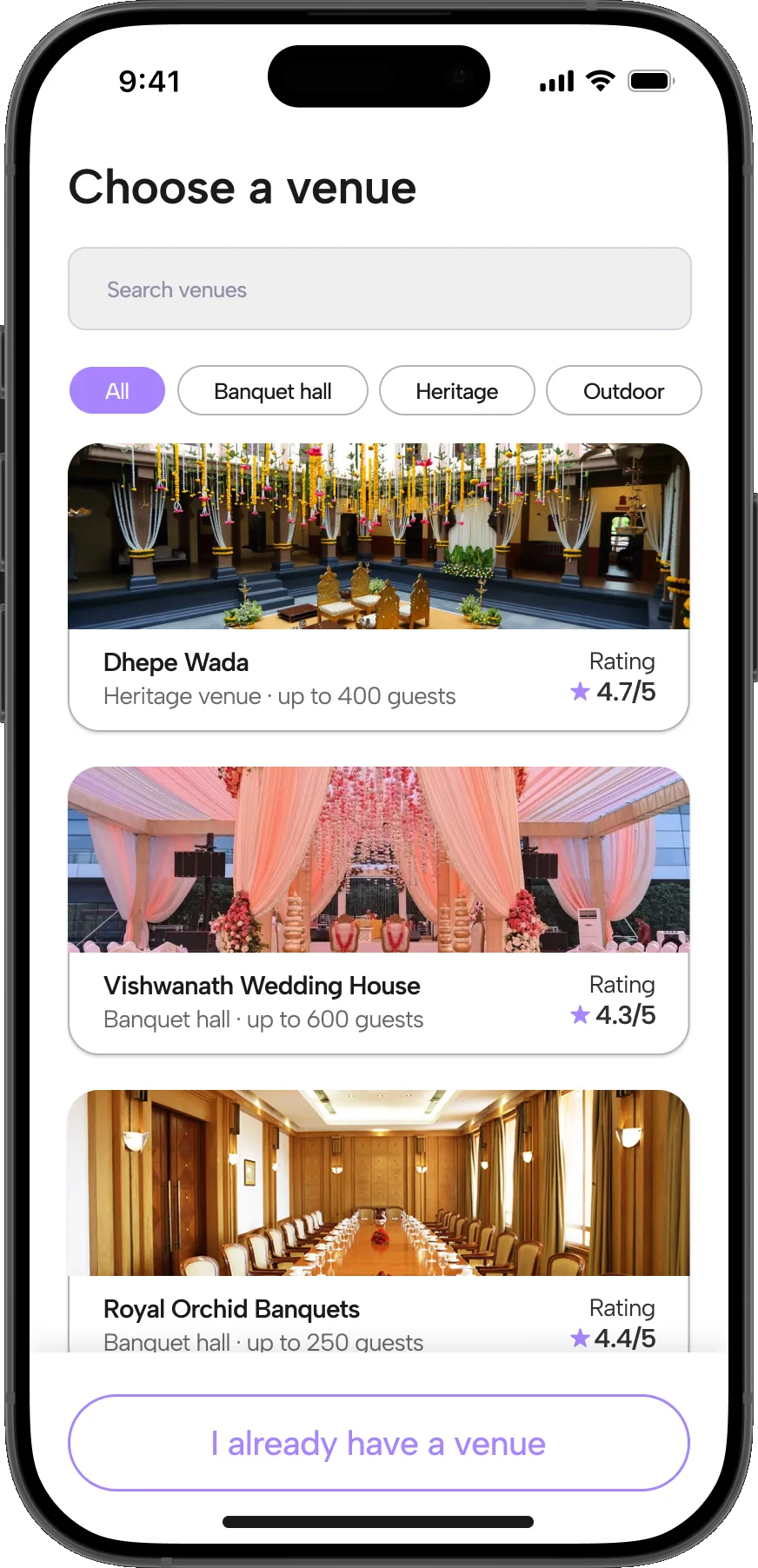
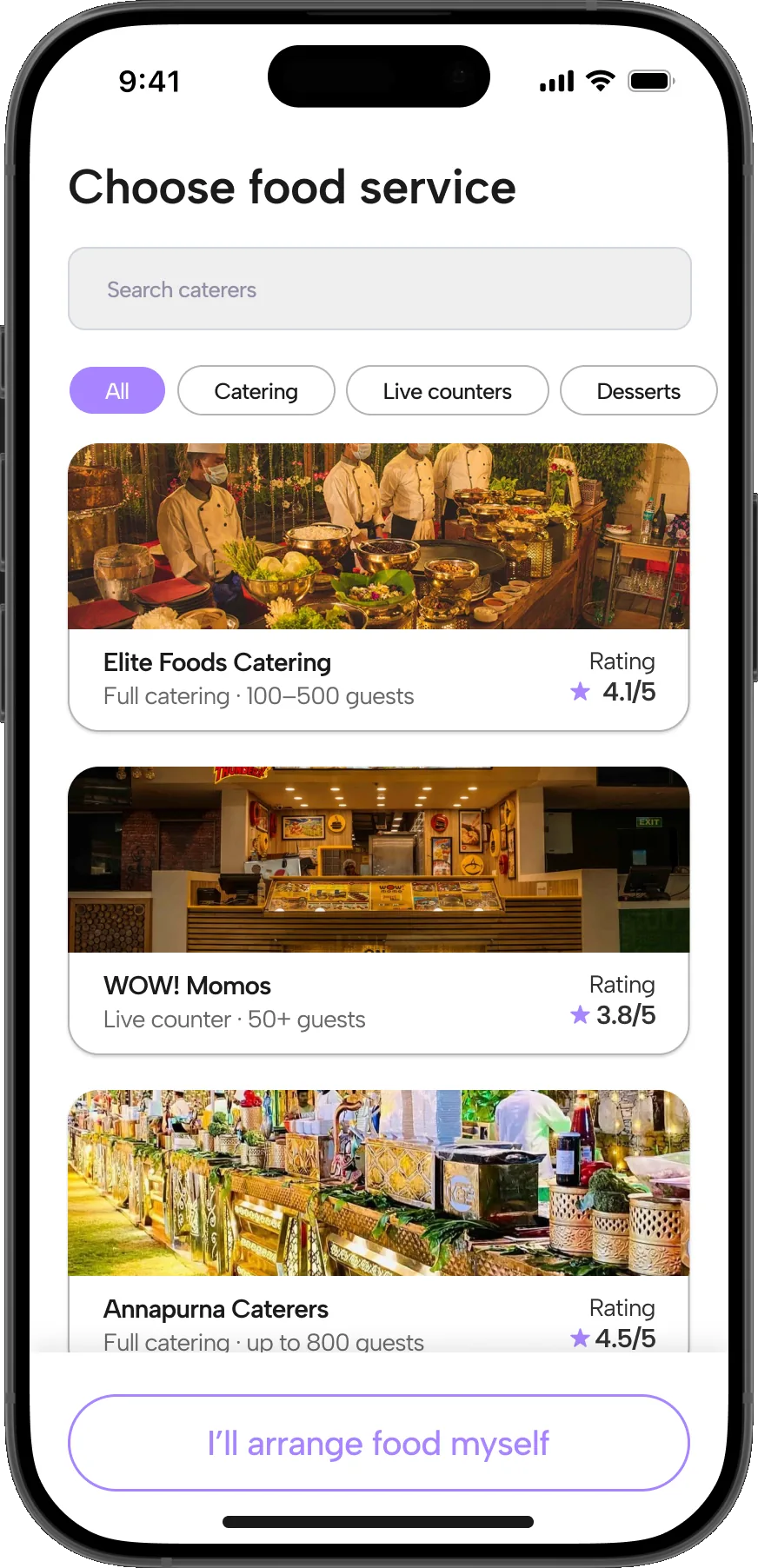
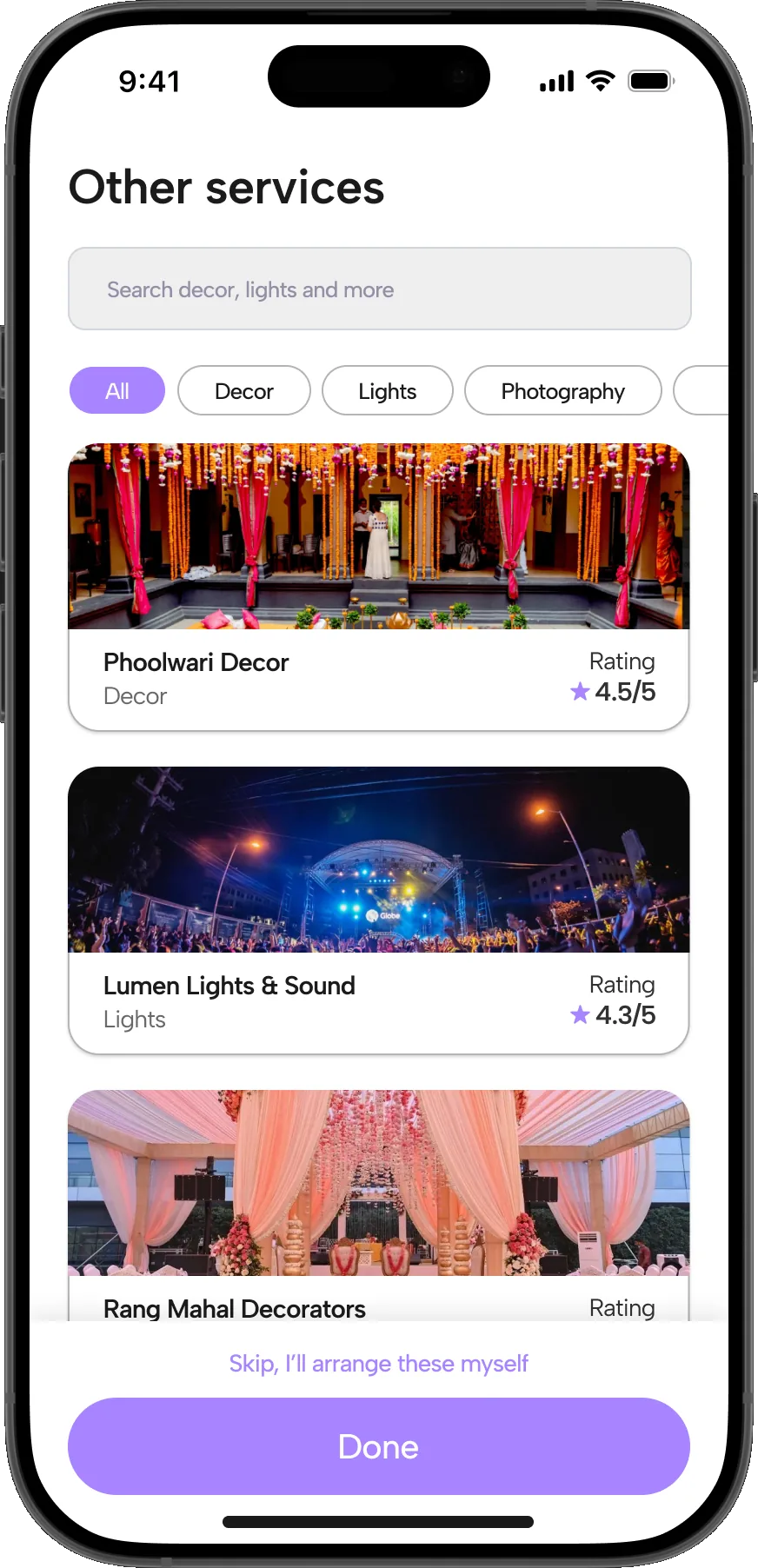
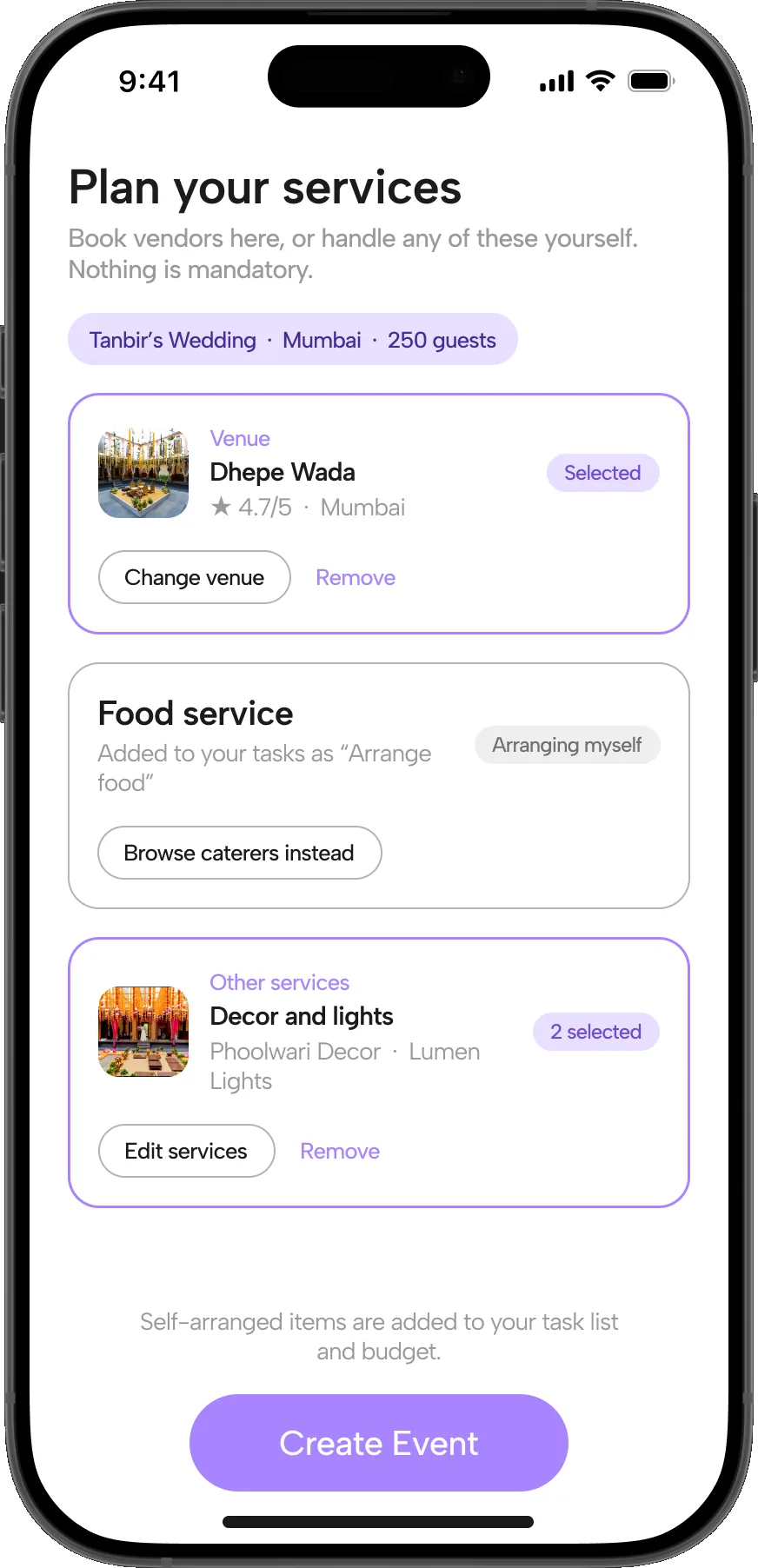
  4. 04Plan your services: venue, food and other services, each one optional. The host browses vendors for each, or marks it as one they’ll arrange themselves.

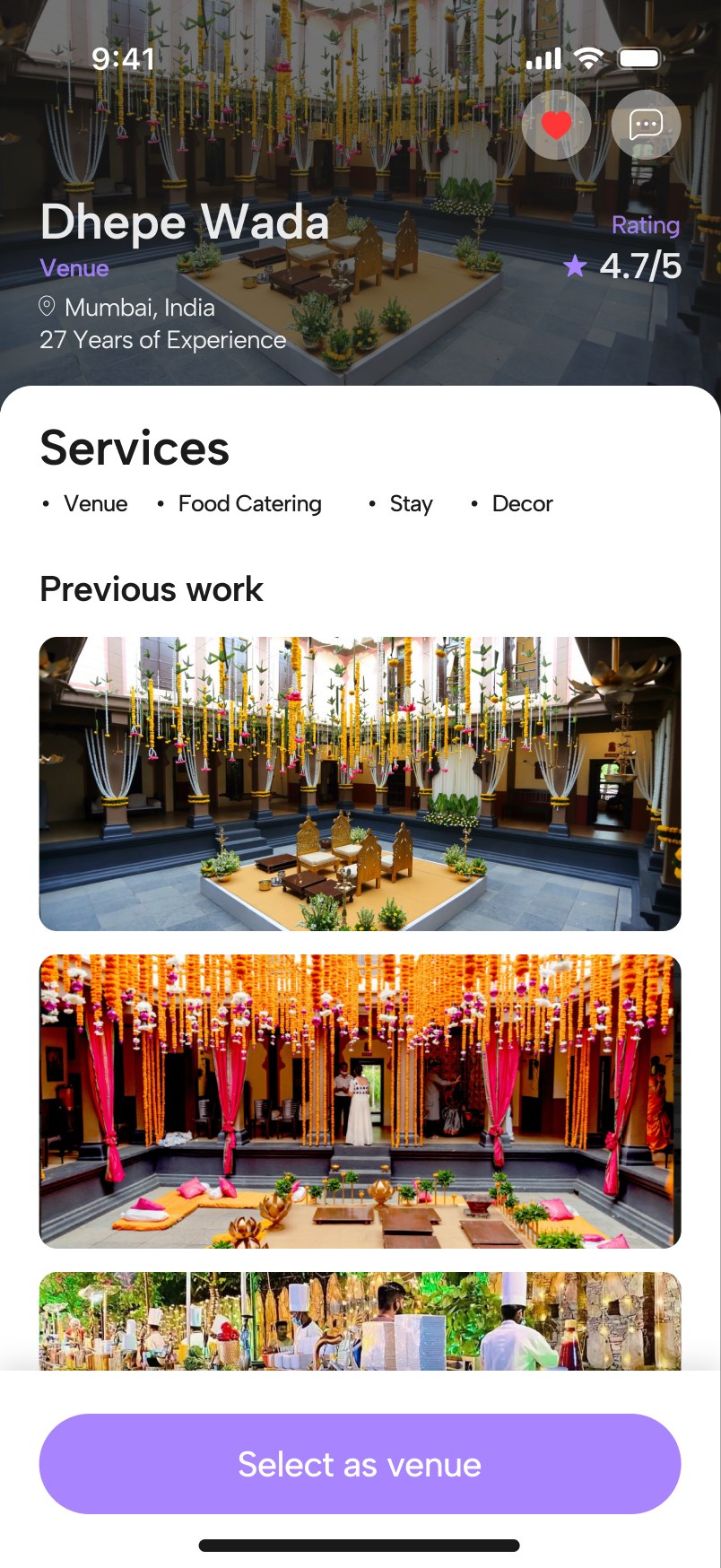
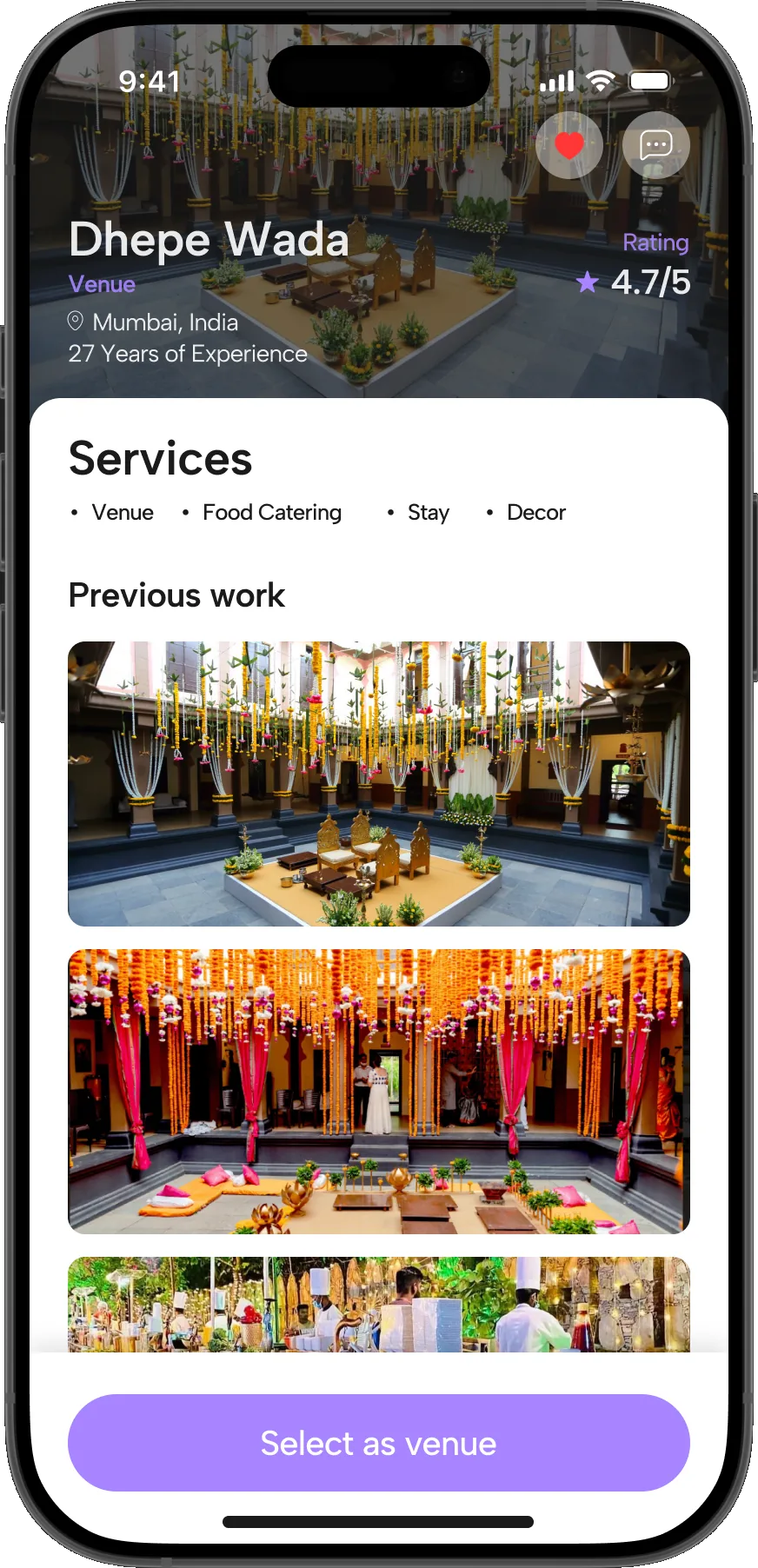
  5. 05Opening a vendor shows location, years of experience, the services they provide and their previous work.

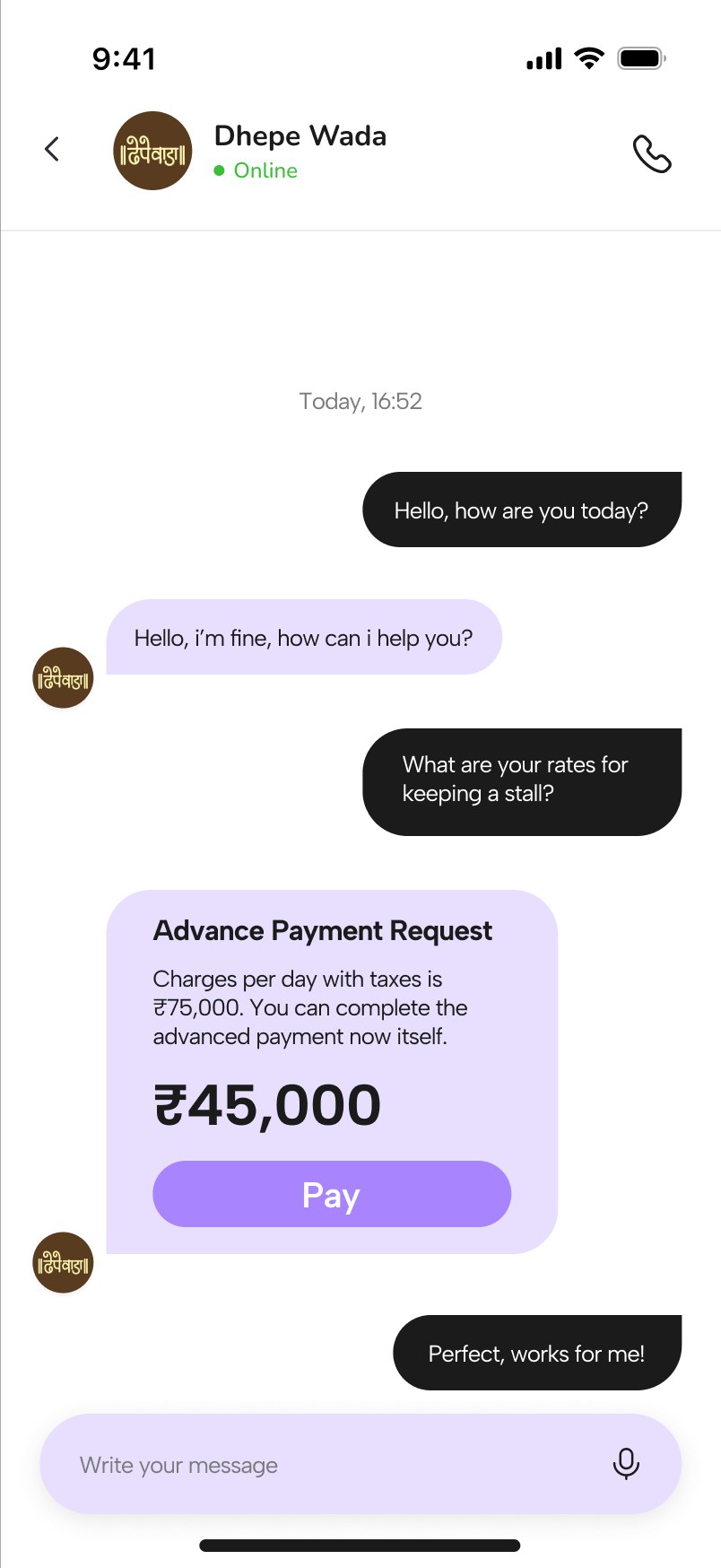
  6. 06Messaging handles the enquiry and the advance payment request; Pay hands off to the host’s own payment service.

VIII. High Fidelity Screens

  • Planit screen 1 of 26: Splash
  • Planit screen 2 of 26: Login
  • Planit screen 3 of 26: Phone login
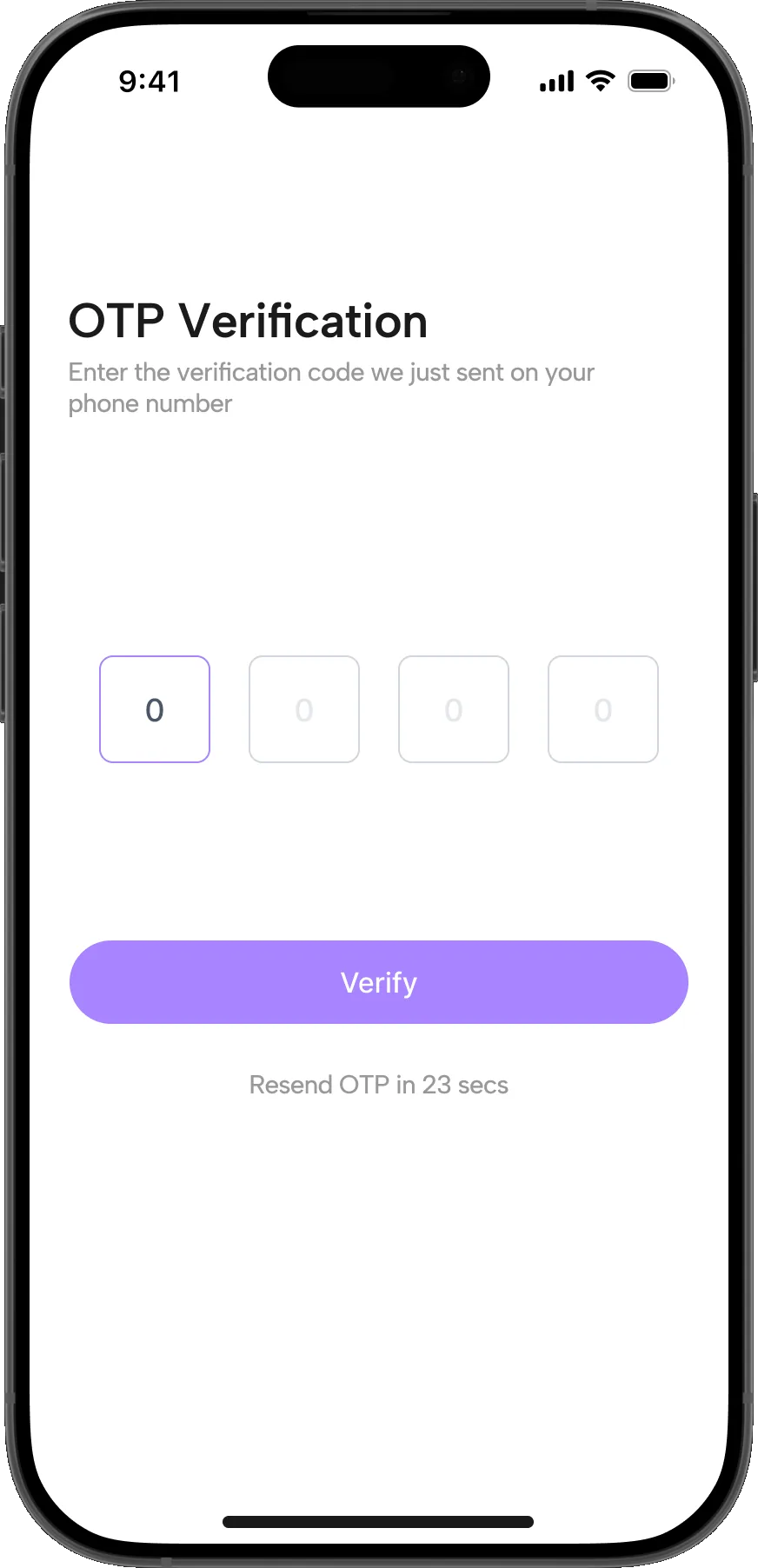
  • Planit screen 4 of 26: OTP
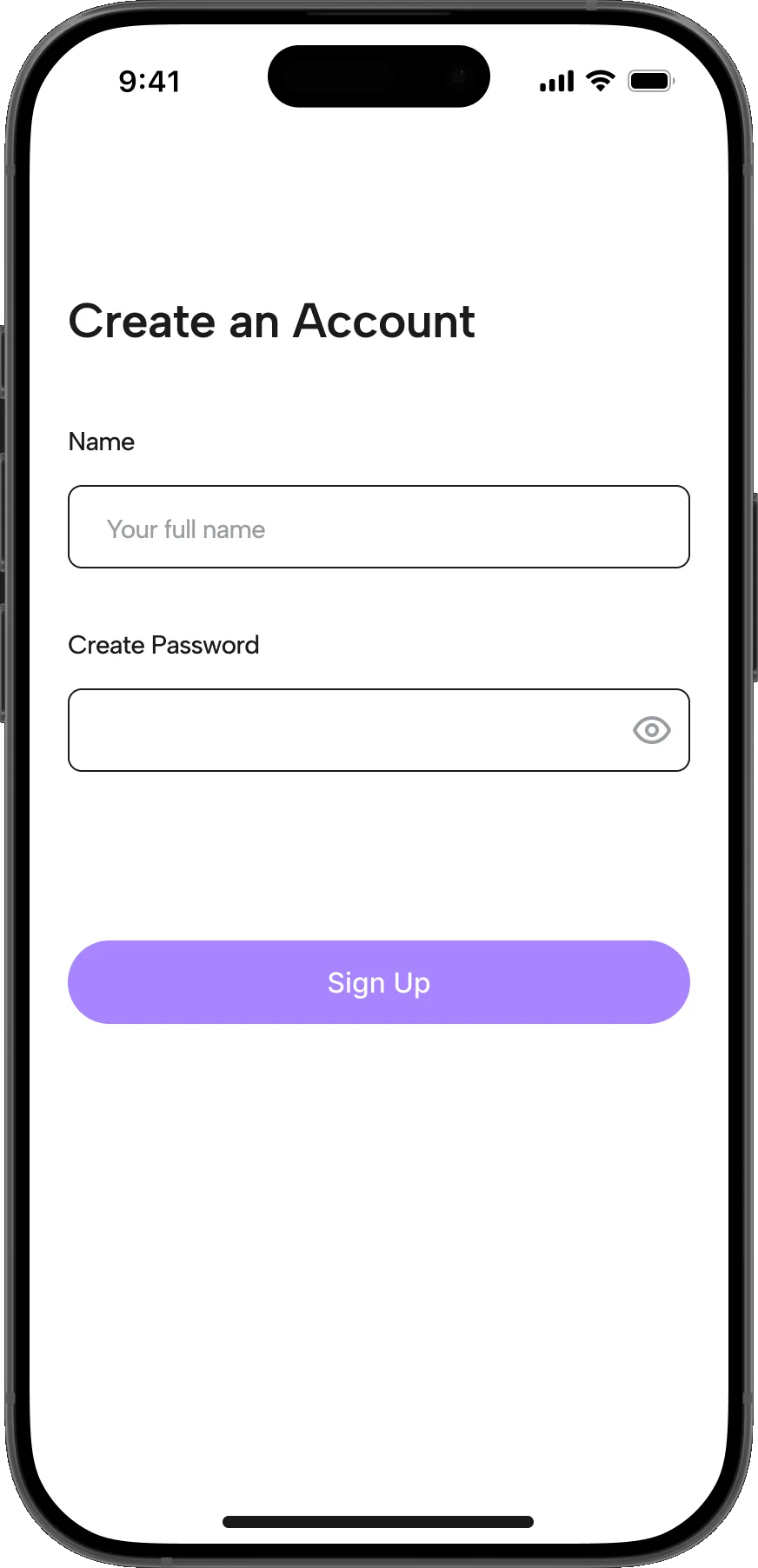
  • Planit screen 5 of 26: Sign up
  • Planit screen 6 of 26: Home
  • Planit screen 7 of 26: Create event, step 1
  • Planit screen 8 of 26: Create event, step 2
  • Planit screen 9 of 26: Services hub
  • Planit screen 10 of 26: Venue selection
  • Planit screen 11 of 26: Vendor detail
  • Planit screen 12 of 26: Food service selection
  • Planit screen 13 of 26: Other services selection
  • Planit screen 14 of 26: Services hub, filled
  • Planit screen 15 of 26: Chat and payment
  • Planit screen 16 of 26: Home with an event
  • Planit screen 17 of 26: My events
  • Planit screen 18 of 26: Messages
  • Planit screen 19 of 26: Dashboard: tasks
  • Planit screen 20 of 26: Dashboard: budget
  • Planit screen 21 of 26: Dashboard: calendar
  • Planit screen 22 of 26: Dashboard: guests
  • Planit screen 23 of 26: Profile
  • Planit screen 24 of 26: Template: create event, prefilled
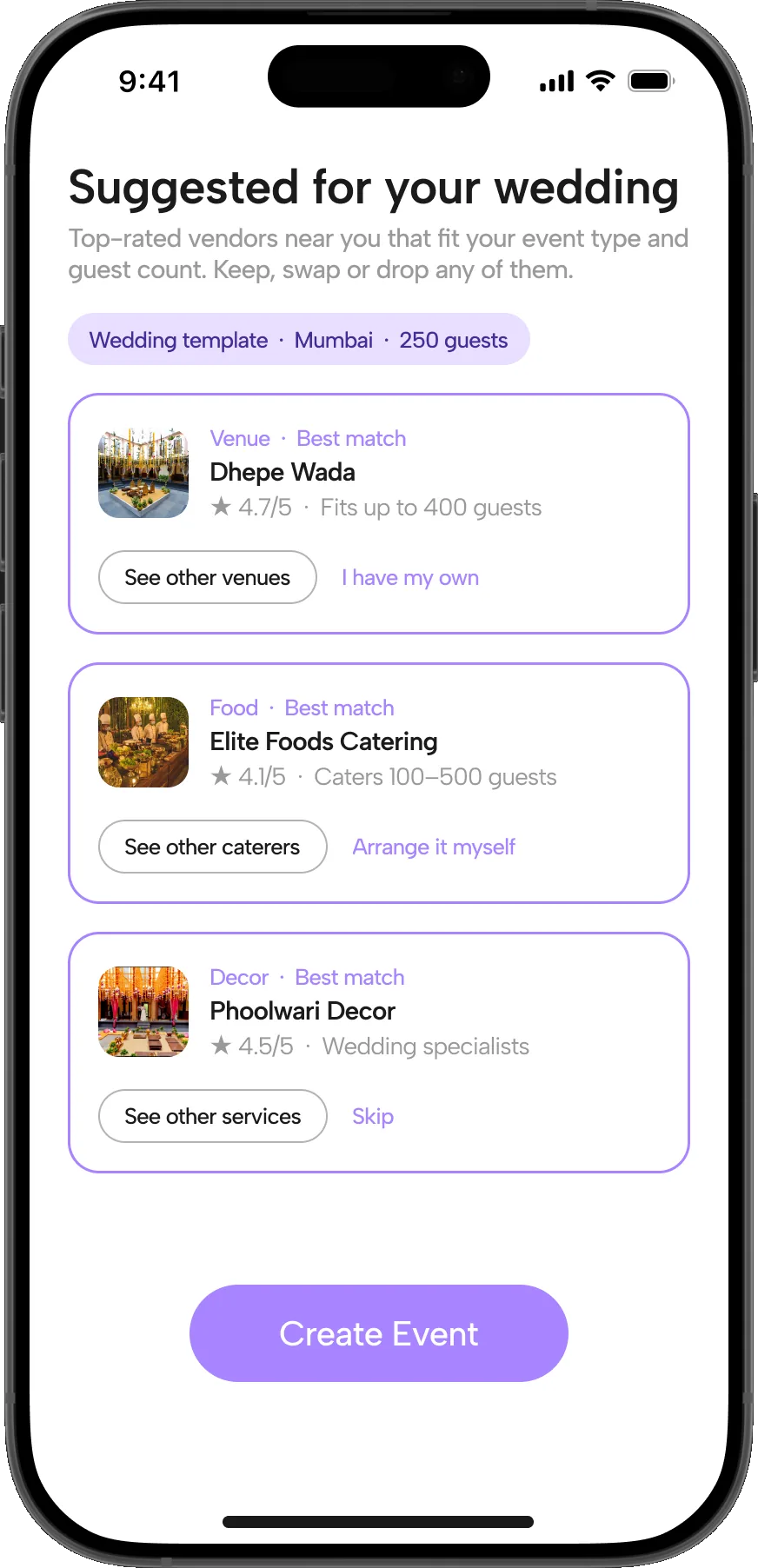
  • Planit screen 25 of 26: Template: suggested hub
  • Planit screen 26 of 26: Template: create event, step 2
Functional Prototype

Conclusion

Planit addresses a process that is fragmented by default: multiple vendors, scattered communication channels, and payment tracking that lives in the host’s head. Centralising discovery, communication and payments into one platform gives hosts a way to compare verified vendors, track bookings and payments in one place, and hold a timeline everyone can see.

A phone home screen with the Planit app icon in place

NEXT UP

© 2026Sagnik Mukherjee